> ## Documentation Index
> Fetch the complete documentation index at: https://docs.vizkraft.com/llms.txt
> Use this file to discover all available pages before exploring further.
# Admin setup
> Enable dashboard embedding in Vizkraft—origins, API keys, appearance, liquid tags, coverage, and audit.
Configure embedding from the dashboard toolbar → **Embed** in [app.vizkraft.com](https://app.vizkraft.com).
 ## Enable embedding
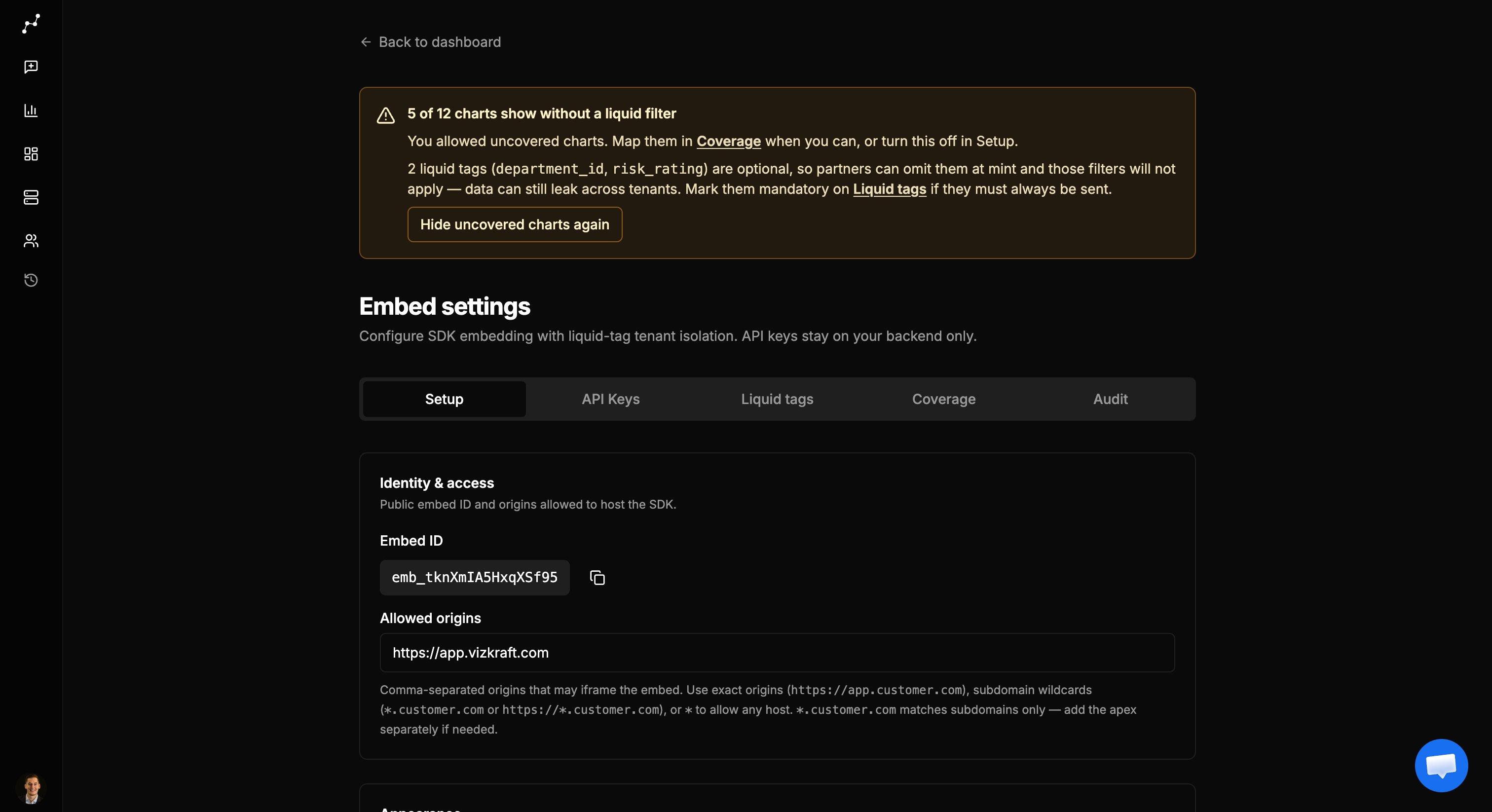
1. Open the dashboard you want partners to embed.
2. Open **Embed** settings.
3. Enable embedding if prompted.
4. Copy the **Embed id** (`emb_…`) for your developers.
## Allowed origins
Comma-separated hosts that may iframe the embed:
* Exact: `https://app.customer.com`
* Wildcard subdomain: `*.customer.com`
* Any: `*` (demos only)
Save when the field is dirty. Details: [Security](/embed/security).
## API keys
## Enable embedding
1. Open the dashboard you want partners to embed.
2. Open **Embed** settings.
3. Enable embedding if prompted.
4. Copy the **Embed id** (`emb_…`) for your developers.
## Allowed origins
Comma-separated hosts that may iframe the embed:
* Exact: `https://app.customer.com`
* Wildcard subdomain: `*.customer.com`
* Any: `*` (demos only)
Save when the field is dirty. Details: [Security](/embed/security).
## API keys
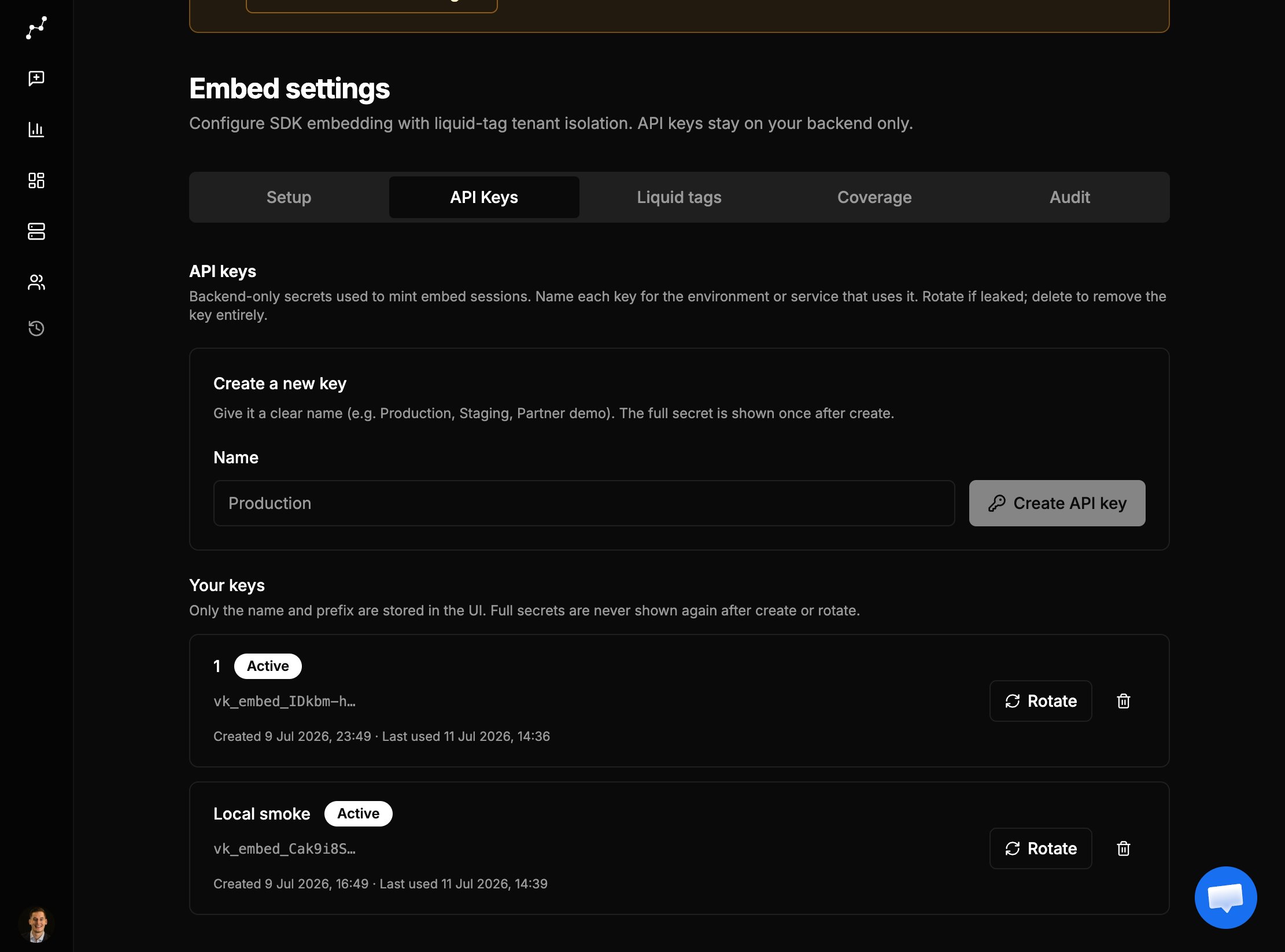 1. Open the **API Keys** tab.
2. Create a **named** key.
3. Copy the secret **once** from the banner—store it on your backend only.
4. Rotate if leaked (old key is removed).
5. Delete removes the key entirely.
Give the key to engineering out of band. Point them to the [Developer guide](/embed/developer-guide).
## Appearance and viewer options
UI theme, chart color theme, loader, and visibility toggles (title, filters, download, uncovered charts) are documented in [Viewer options](/embed/viewer-options).
## Liquid tags and coverage
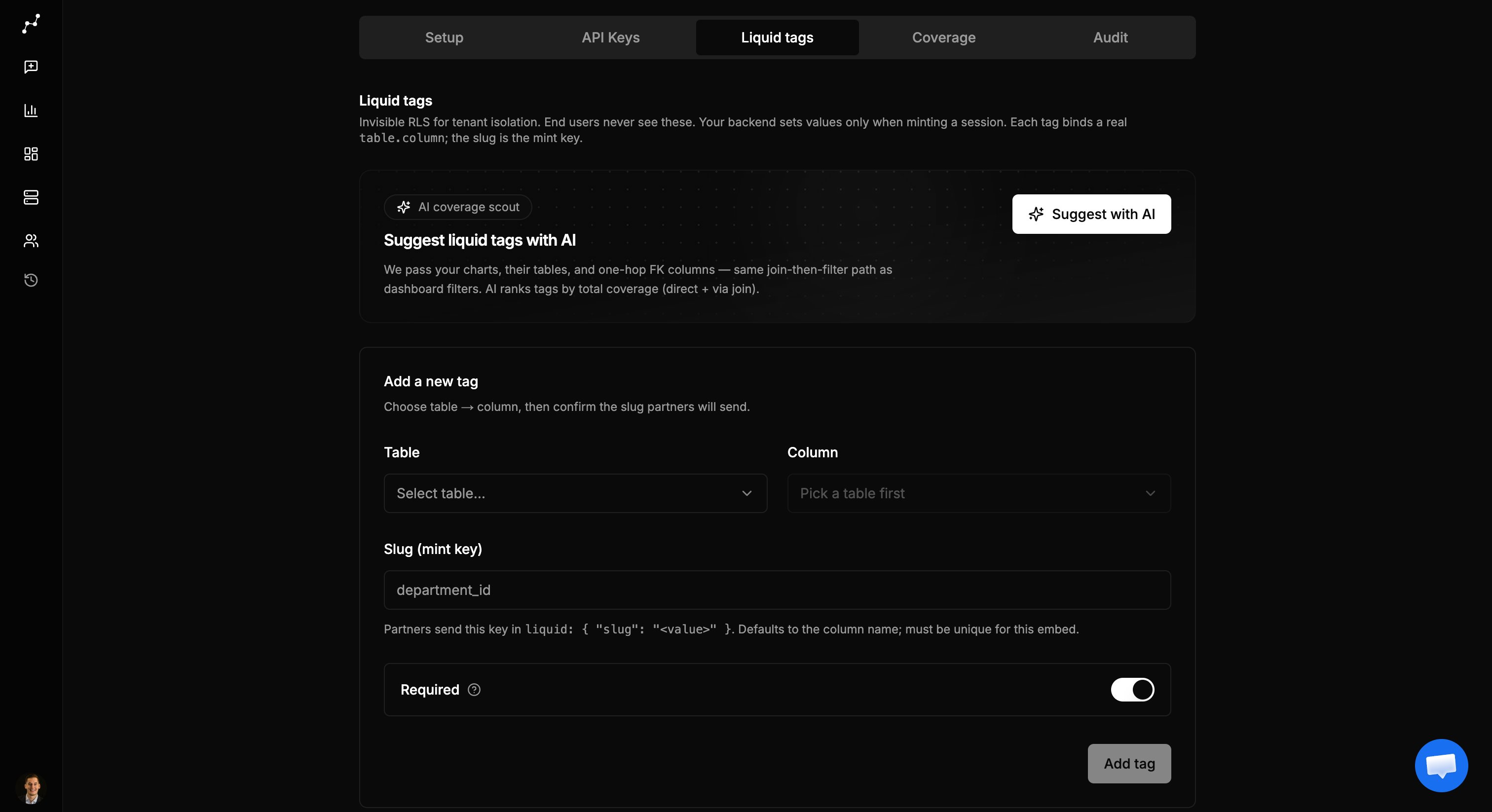
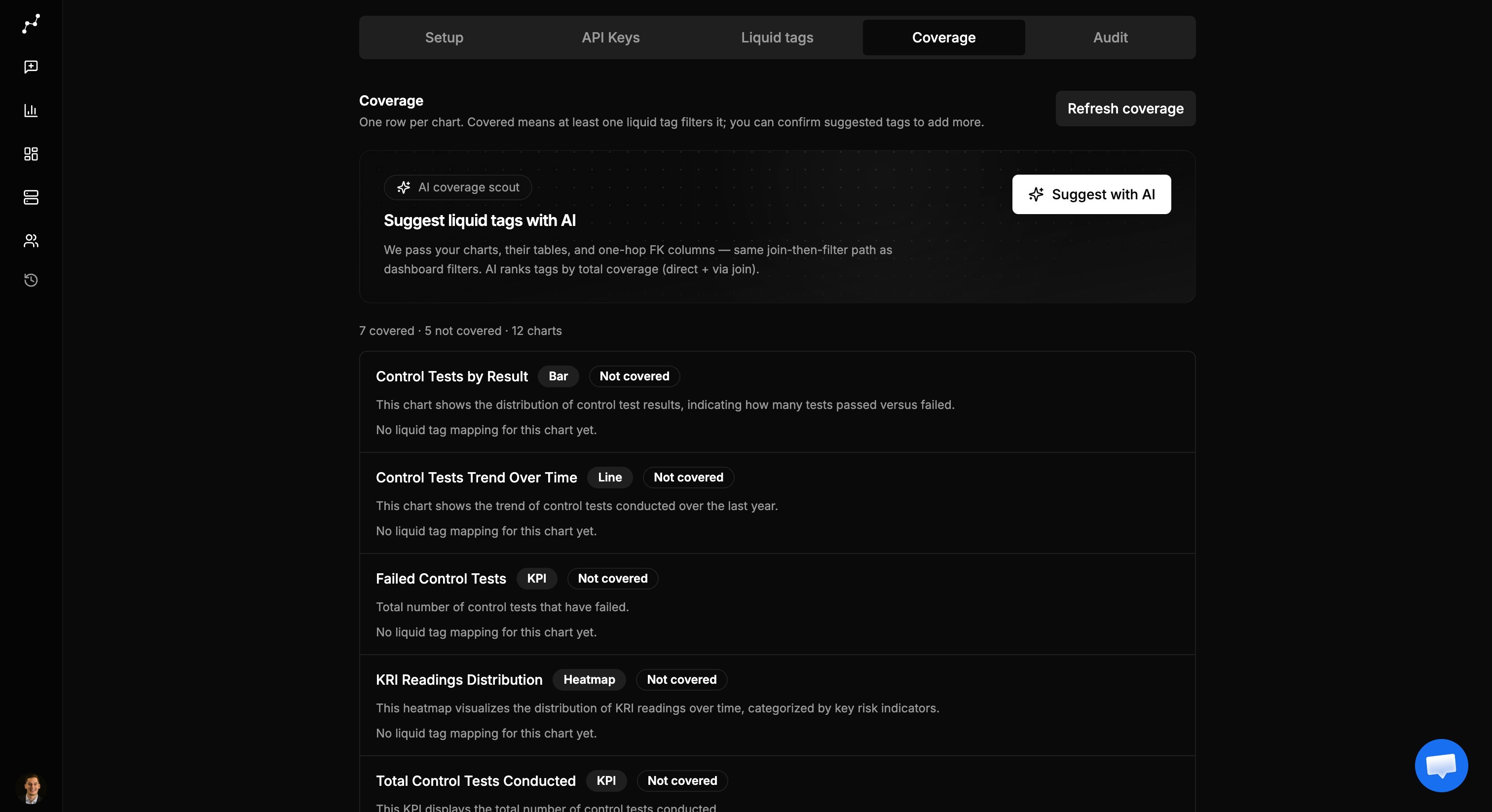
Add tenant dimensions and confirm per-chart mappings on the **Liquid tags** and **Coverage** tabs. Full guide: [Liquid tags and coverage](/embed/liquid-and-coverage).
1. Open the **API Keys** tab.
2. Create a **named** key.
3. Copy the secret **once** from the banner—store it on your backend only.
4. Rotate if leaked (old key is removed).
5. Delete removes the key entirely.
Give the key to engineering out of band. Point them to the [Developer guide](/embed/developer-guide).
## Appearance and viewer options
UI theme, chart color theme, loader, and visibility toggles (title, filters, download, uncovered charts) are documented in [Viewer options](/embed/viewer-options).
## Liquid tags and coverage
Add tenant dimensions and confirm per-chart mappings on the **Liquid tags** and **Coverage** tabs. Full guide: [Liquid tags and coverage](/embed/liquid-and-coverage).
 ## Audit
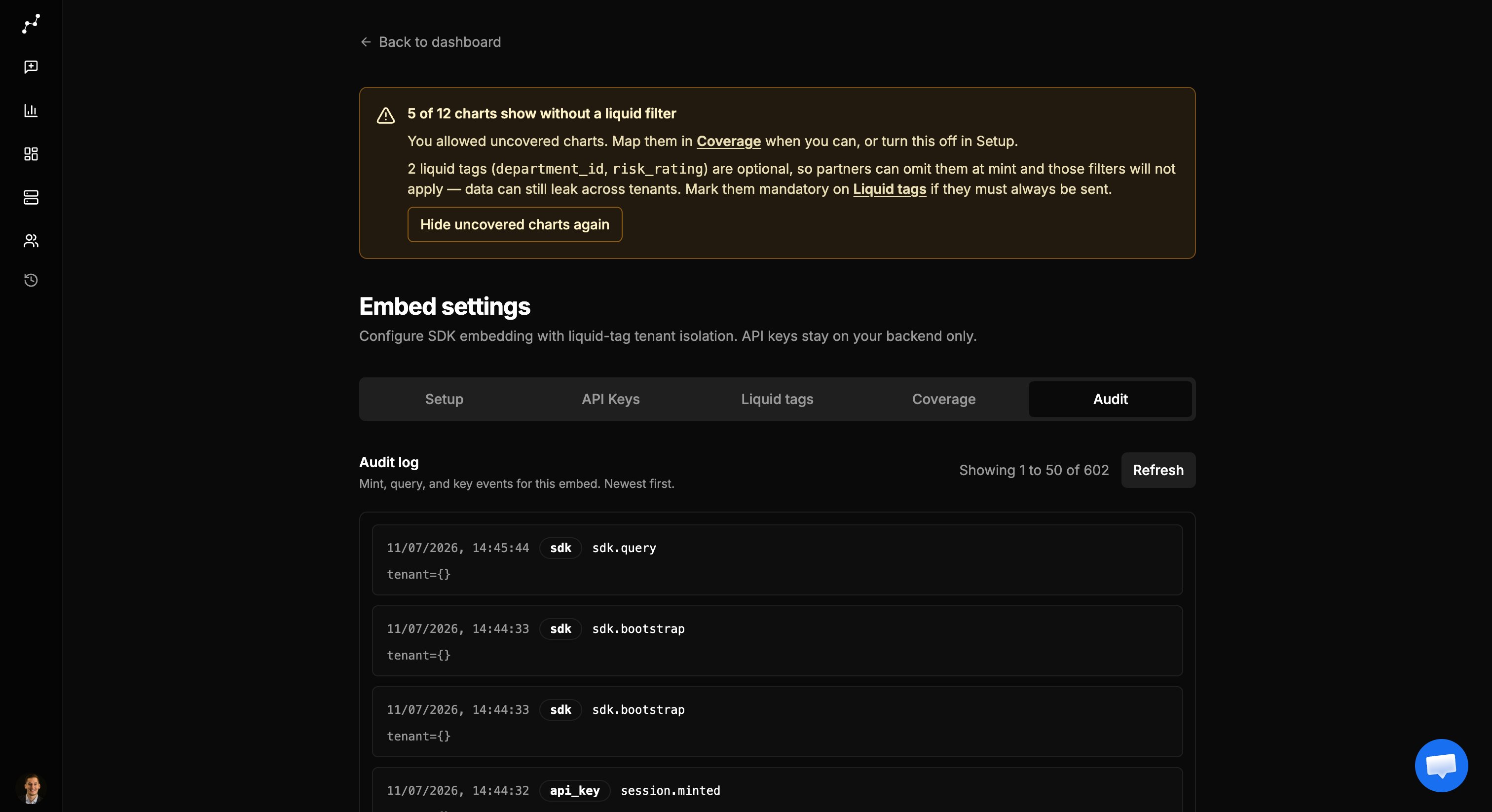 Review mint, query, and deny events. Use pagination when the log grows. Tenant values are fingerprinted for privacy.
## Checklist
1. Enable embedding
2. Set allowed origins
3. Choose themes and viewer options
4. Add mandatory liquid tags
5. Confirm coverage (Direct / Via FK)
6. Leave uncovered charts hidden unless you accept the risk
7. Create an API key for the backend
8. Share the [Developer guide](/embed/developer-guide) with eng
9. Optionally verify in [Partner demo](/embed/partner-demo)
## Related
* [Security](/embed/security)
* [Share links](/embed/share-links) — human URLs (separate from SDK embed)
Review mint, query, and deny events. Use pagination when the log grows. Tenant values are fingerprinted for privacy.
## Checklist
1. Enable embedding
2. Set allowed origins
3. Choose themes and viewer options
4. Add mandatory liquid tags
5. Confirm coverage (Direct / Via FK)
6. Leave uncovered charts hidden unless you accept the risk
7. Create an API key for the backend
8. Share the [Developer guide](/embed/developer-guide) with eng
9. Optionally verify in [Partner demo](/embed/partner-demo)
## Related
* [Security](/embed/security)
* [Share links](/embed/share-links) — human URLs (separate from SDK embed)