> ## Documentation Index
> Fetch the complete documentation index at: https://docs.vizkraft.com/llms.txt
> Use this file to discover all available pages before exploring further.
# Viewer options
> Configure what end users see in an embedded dashboard—title, filters, download, loaders, UI chrome theme, and chart color theme.
Embed settings let you match Vizkraft to your product chrome: hide clutter, pick colors, and choose how loading feels—without rebuilding charts.
Configure these in the app under the dashboard → **Embed** → **Setup**. Open [app.vizkraft.com](https://app.vizkraft.com).
 ## Chrome visibility
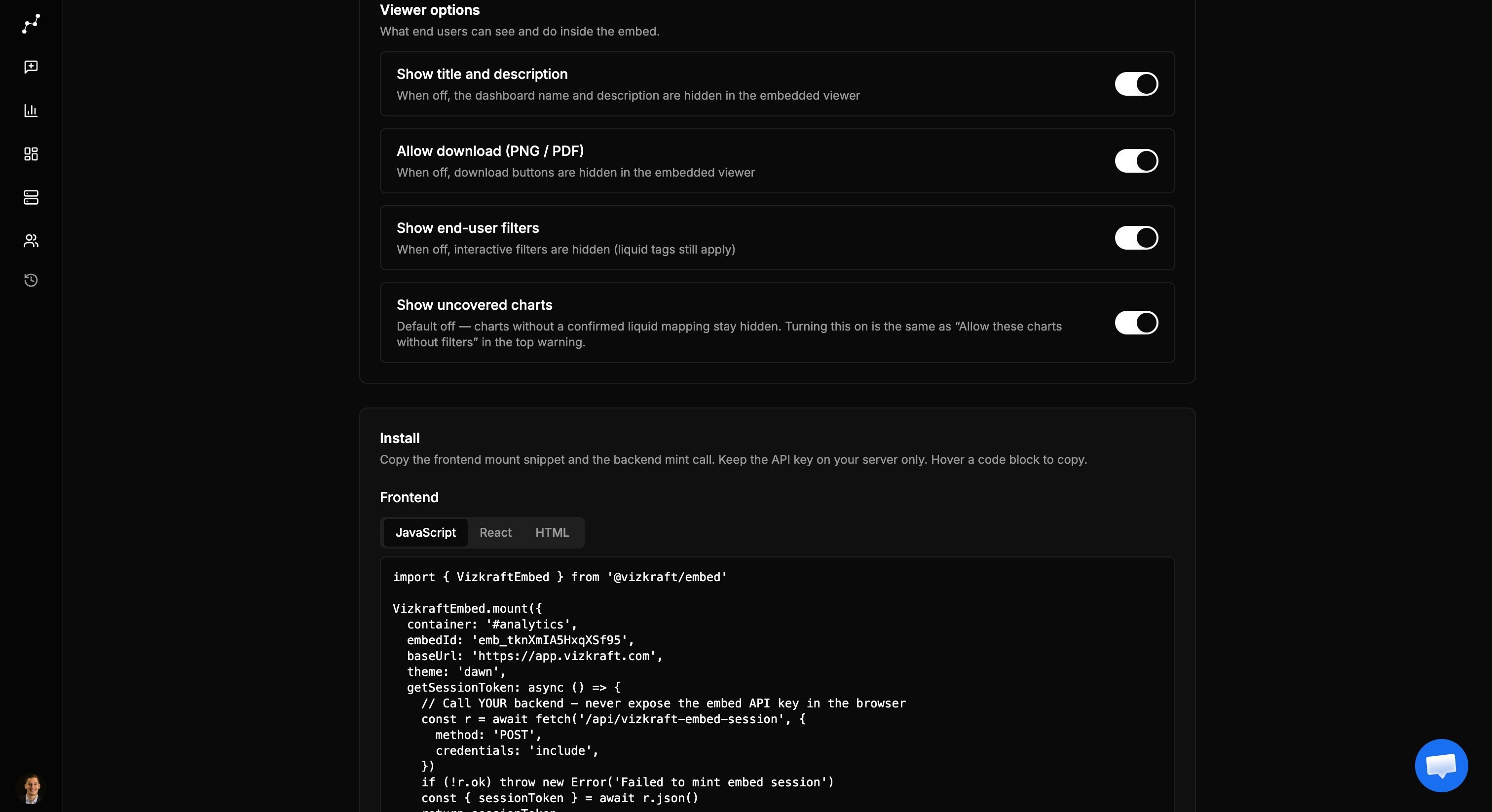
| Setting | When on | When off |
| -------------------------- | ------------------------------------------------------ | -------------------------------------------------------------------- |
| Show title and description | Dashboard name and description appear above the charts | Header text is hidden—useful when your host page already has a title |
| Show end-user filters | Interactive filter bar for slice-and-dice | Filters hidden; liquid tags still apply |
| Allow download (PNG / PDF) | Download control in the viewer | Button hidden; API also rejects download |
| Show uncovered charts | Charts without a confirmed liquid mapping appear | Those charts stay hidden (default, safer) |
Liquid tags are never shown as filters. Turning filters off does not remove tenant isolation.
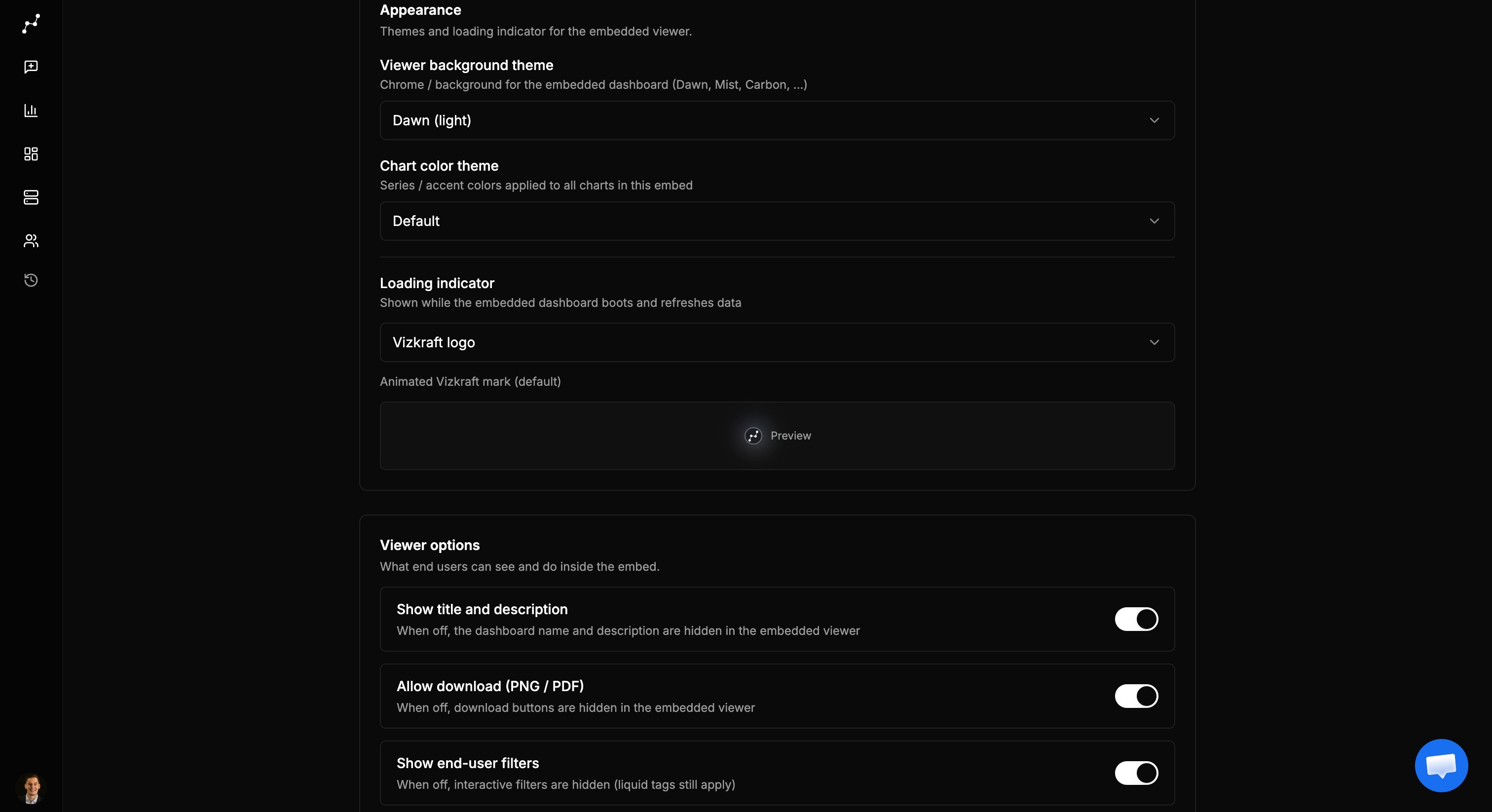
## Viewer background (UI theme)
Controls the iframe chrome—background and text—not your host page.
| Theme | Feel |
| -------- | --------------- |
| Dawn | Light (default) |
| Mist | Light gray |
| Twilight | Dark |
| Dusk | Darker |
| Carbon | Black |
The SDK accepts a `theme` prop for the first paint (avoids a flash). After bootstrap, **admin embed settings win**.
## Chart and number colors
Series / accent palette applied across charts in the embed:
| Theme | Label in UI |
| ------- | --------------- |
| default | Default |
| blue | Ocean (blue) |
| green | Forest (green) |
| purple | Violet (purple) |
| orange | Sunset (orange) |
| red | Ruby (red) |
This is separate from the UI chrome theme. You can run Dawn chrome with Ocean chart colors, for example.
## Chrome visibility
| Setting | When on | When off |
| -------------------------- | ------------------------------------------------------ | -------------------------------------------------------------------- |
| Show title and description | Dashboard name and description appear above the charts | Header text is hidden—useful when your host page already has a title |
| Show end-user filters | Interactive filter bar for slice-and-dice | Filters hidden; liquid tags still apply |
| Allow download (PNG / PDF) | Download control in the viewer | Button hidden; API also rejects download |
| Show uncovered charts | Charts without a confirmed liquid mapping appear | Those charts stay hidden (default, safer) |
Liquid tags are never shown as filters. Turning filters off does not remove tenant isolation.
## Viewer background (UI theme)
Controls the iframe chrome—background and text—not your host page.
| Theme | Feel |
| -------- | --------------- |
| Dawn | Light (default) |
| Mist | Light gray |
| Twilight | Dark |
| Dusk | Darker |
| Carbon | Black |
The SDK accepts a `theme` prop for the first paint (avoids a flash). After bootstrap, **admin embed settings win**.
## Chart and number colors
Series / accent palette applied across charts in the embed:
| Theme | Label in UI |
| ------- | --------------- |
| default | Default |
| blue | Ocean (blue) |
| green | Forest (green) |
| purple | Violet (purple) |
| orange | Sunset (orange) |
| red | Ruby (red) |
This is separate from the UI chrome theme. You can run Dawn chrome with Ocean chart colors, for example.
 ## Loading indicator
Shown while the embed boots and when data refreshes:
| Option | Use when |
| ------------------- | ----------------------------------------------- |
| Vizkraft logo | Default branded mark |
| Simple round loader | Neutral spinner |
| Shimmer | Skeleton placeholders that fill the iframe |
| Custom image / GIF | Your own asset (PNG, GIF, JPEG, WebP · max 2MB) |
Until a custom file is uploaded, custom mode falls back to the Vizkraft logo.
## Allowed origins
Not a visual option, but it controls **who may frame** the embed:
* Exact: `https://app.customer.com`
* Subdomain wildcard: `*.customer.com` or `https://*.customer.com`
* Any host: `*` (convenient for demos; tighten before production)
See [Security](/embed/security) for why framing matters.
## Recommended defaults
For a multi-tenant product embed:
1. Title on or off to match your host layout
2. Filters on if end users need exploration; off for locked executive views
3. Download off unless exports are required
4. Uncovered charts **off** until coverage is complete
5. Themes aligned with your product light/dark mode
6. Origins limited to your production and staging hosts
## Where to click in the app
In [app.vizkraft.com](https://app.vizkraft.com), open the dashboard you want to embed.
Use **Embed** in the toolbar (dedicated settings page).
Set appearance (UI theme, chart theme, loader) and Viewer options toggles. Changes save as you switch.
Optionally verify in [Partner demo](/embed/partner-demo) before shipping to production.
## Related
* [Admin setup](/embed/admin-setup) — enable embed, API keys, audit
* [Developer guide](/embed/developer-guide) — `theme` and `height` on mount
* [Liquid tags and coverage](/embed/liquid-and-coverage) — uncovered charts behavior
## Loading indicator
Shown while the embed boots and when data refreshes:
| Option | Use when |
| ------------------- | ----------------------------------------------- |
| Vizkraft logo | Default branded mark |
| Simple round loader | Neutral spinner |
| Shimmer | Skeleton placeholders that fill the iframe |
| Custom image / GIF | Your own asset (PNG, GIF, JPEG, WebP · max 2MB) |
Until a custom file is uploaded, custom mode falls back to the Vizkraft logo.
## Allowed origins
Not a visual option, but it controls **who may frame** the embed:
* Exact: `https://app.customer.com`
* Subdomain wildcard: `*.customer.com` or `https://*.customer.com`
* Any host: `*` (convenient for demos; tighten before production)
See [Security](/embed/security) for why framing matters.
## Recommended defaults
For a multi-tenant product embed:
1. Title on or off to match your host layout
2. Filters on if end users need exploration; off for locked executive views
3. Download off unless exports are required
4. Uncovered charts **off** until coverage is complete
5. Themes aligned with your product light/dark mode
6. Origins limited to your production and staging hosts
## Where to click in the app
In [app.vizkraft.com](https://app.vizkraft.com), open the dashboard you want to embed.
Use **Embed** in the toolbar (dedicated settings page).
Set appearance (UI theme, chart theme, loader) and Viewer options toggles. Changes save as you switch.
Optionally verify in [Partner demo](/embed/partner-demo) before shipping to production.
## Related
* [Admin setup](/embed/admin-setup) — enable embed, API keys, audit
* [Developer guide](/embed/developer-guide) — `theme` and `height` on mount
* [Liquid tags and coverage](/embed/liquid-and-coverage) — uncovered charts behavior