> ## Documentation Index
> Fetch the complete documentation index at: https://docs.vizkraft.com/llms.txt
> Use this file to discover all available pages before exploring further.
# Ask questions
> Use chat to explore your connected data sources in natural language.
The fastest way to get value from Vizkraft is to ask a plain-language question in chat.
## Before you ask
Make sure you have:
* At least one connector saved in `Connectors`.
* Indexing completed if the connector supports it.
* The right connector, or connectors, selected in chat.
## How to ask a question
1. Open `Chat`.
2. Choose the connector or connectors you want to use.
3. Type your question in natural language.
4. Review the answer, any charts that were generated, and the follow-up suggestions.
## Ask across one or more connectors
Vizkraft supports selecting multiple connectors in chat. This is useful when:
* You want to compare metrics across systems.
* One connector provides reference data and another provides activity data.
* You need a broader answer than a single source can provide.
If a question should stay narrow, enable only the connector you want to use for that thread.
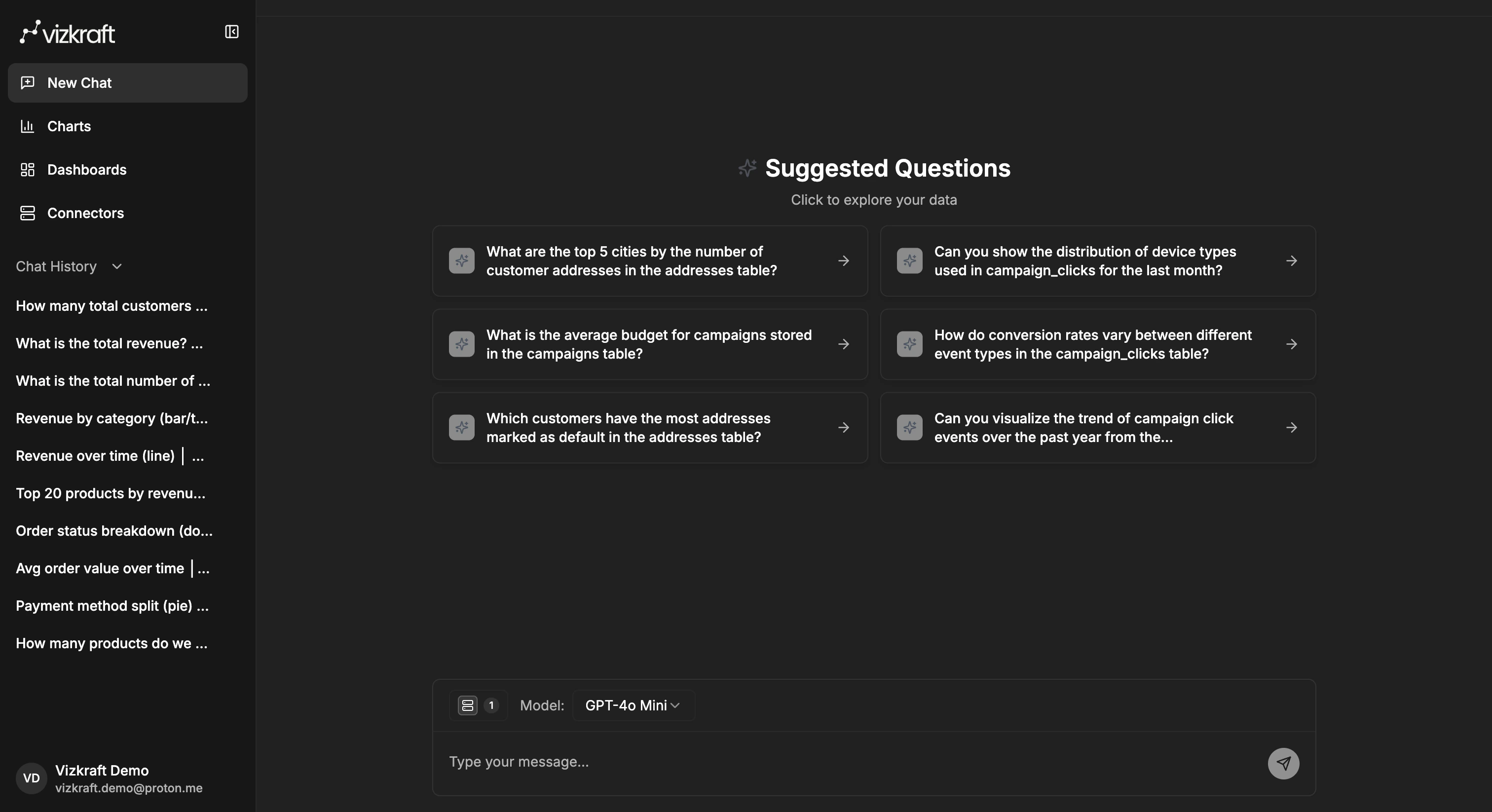
## What the empty state shows
When chat is empty, Vizkraft can show suggested starter questions in the center of the page. These are sample prompts meant to help users discover the kind of questions the connector can answer.
 ## Questions that work well
* Show revenue by month for the last 12 months.
* Which customers have the highest expansion this quarter?
* Compare leads, spend, and conversion rate by campaign.
* What changed this week compared with last week?
* Break down support volume by priority and assignee.
## Tips for better answers
* Use business language first. You do not need to write SQL.
* Mention time ranges when they matter.
* Name the segment, team, or metric you care about.
* If you know the answer should come from one system, disable the others before asking.
## Reuse previous work
Chat sessions are saved so you can return to earlier conversations, continue them, rename them, or favorite them for quick access.
## What happens after the answer
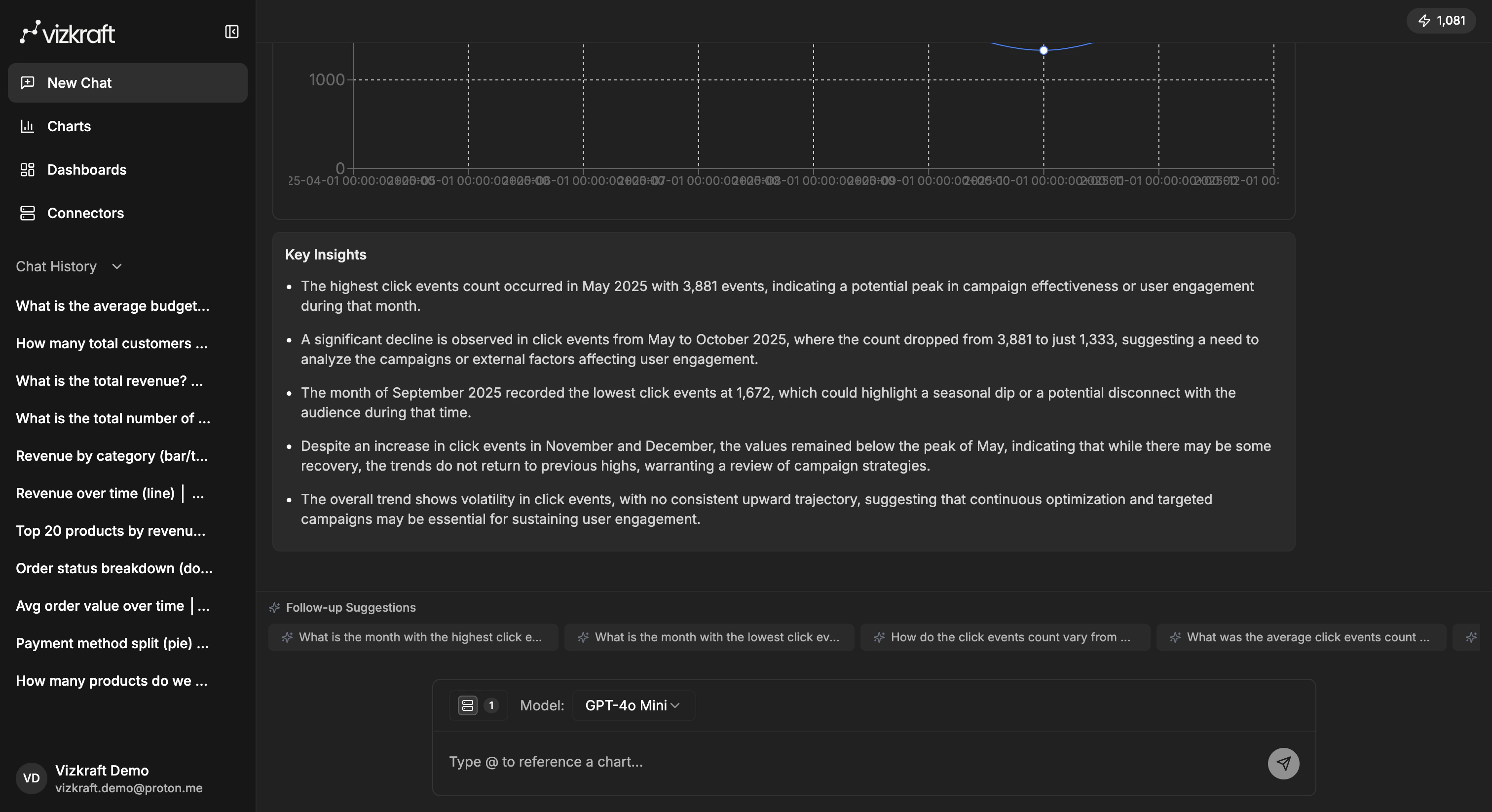
Depending on the result, Vizkraft may:
* Return a written explanation.
* Show a chart or offer chart suggestions.
* Offer follow-up suggestions to continue the analysis in the same thread.
* Show a memory notification when it learned something new about the connector.
* Show thumbs up and thumbs down controls on SQL answers.
## Questions that work well
* Show revenue by month for the last 12 months.
* Which customers have the highest expansion this quarter?
* Compare leads, spend, and conversion rate by campaign.
* What changed this week compared with last week?
* Break down support volume by priority and assignee.
## Tips for better answers
* Use business language first. You do not need to write SQL.
* Mention time ranges when they matter.
* Name the segment, team, or metric you care about.
* If you know the answer should come from one system, disable the others before asking.
## Reuse previous work
Chat sessions are saved so you can return to earlier conversations, continue them, rename them, or favorite them for quick access.
## What happens after the answer
Depending on the result, Vizkraft may:
* Return a written explanation.
* Show a chart or offer chart suggestions.
* Offer follow-up suggestions to continue the analysis in the same thread.
* Show a memory notification when it learned something new about the connector.
* Show thumbs up and thumbs down controls on SQL answers.
 ## Rate answers
SQL answers include thumbs up and thumbs down controls below the response.
## Rate answers
SQL answers include thumbs up and thumbs down controls below the response.
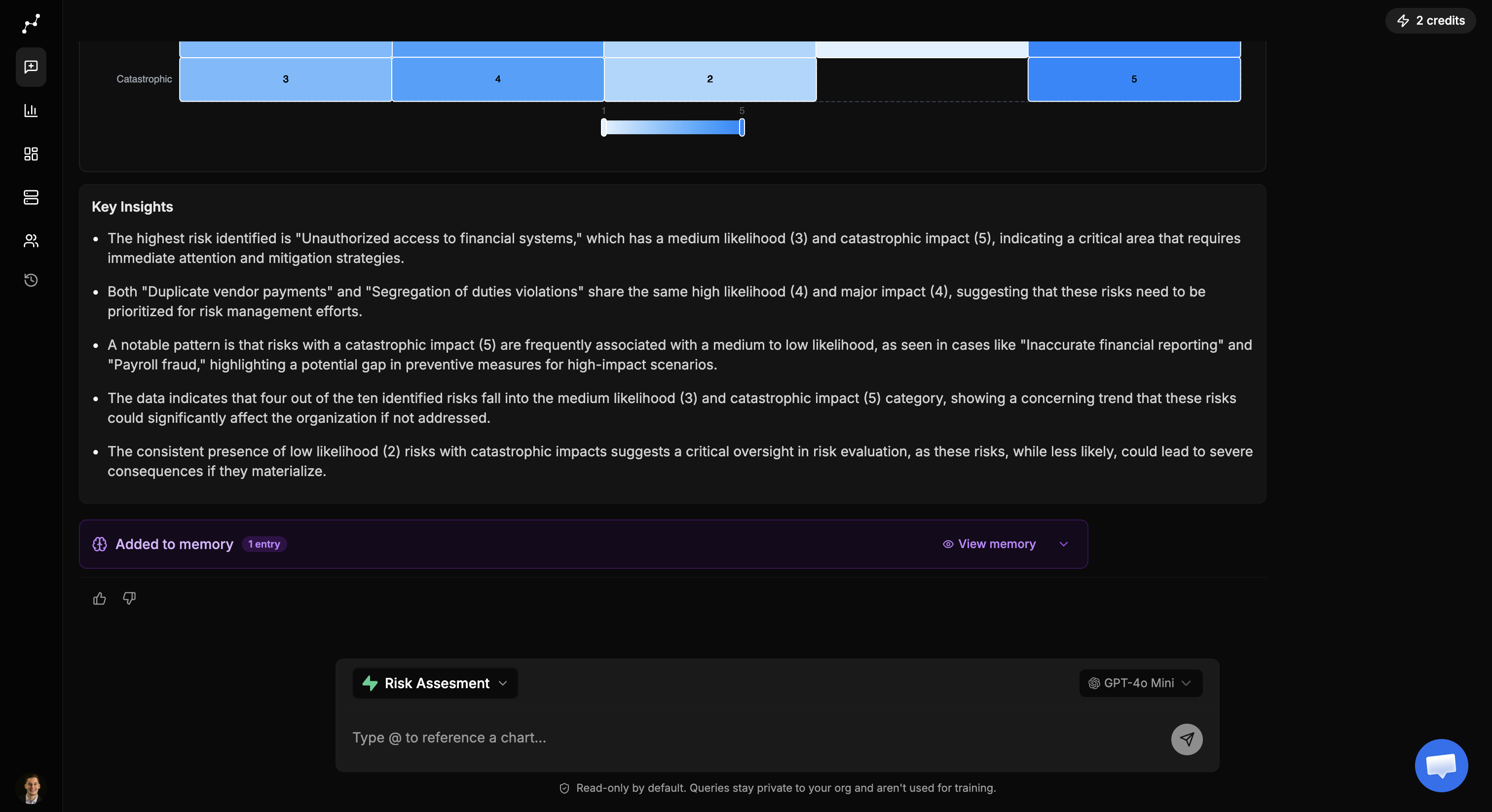 Use them to tell Vizkraft whether an answer was helpful:
* **Thumbs up** — saves the question and answer as a golden case for [evaluation and learnings](/features/evaluation-and-learnings).
* **Thumbs down** — flags the answer so you can correct it in the learnings tab.
This is the fastest way to improve answer quality from real conversations.
## Memory updates in chat
When Vizkraft learns something useful about a connector during chat, a purple notification appears in the thread.
Use them to tell Vizkraft whether an answer was helpful:
* **Thumbs up** — saves the question and answer as a golden case for [evaluation and learnings](/features/evaluation-and-learnings).
* **Thumbs down** — flags the answer so you can correct it in the learnings tab.
This is the fastest way to improve answer quality from real conversations.
## Memory updates in chat
When Vizkraft learns something useful about a connector during chat, a purple notification appears in the thread.
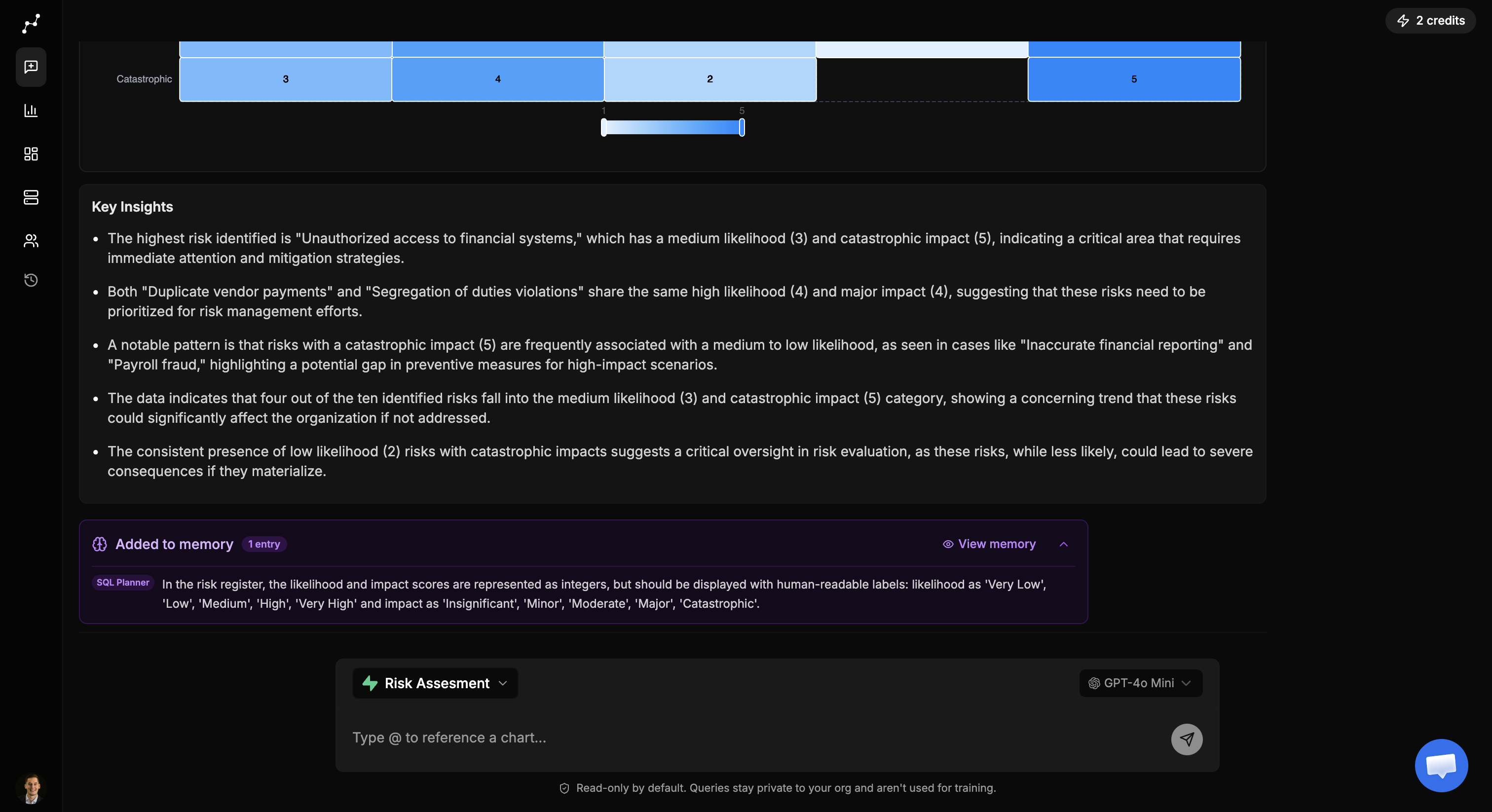 From the notification you can:
* Expand it to read what was saved.
* Open the connector [memory](/features/connector-memory) panel.
* Reject the entry if it is incorrect.
Rejecting bad memory early prevents wrong definitions from spreading to future answers.
## Continue the conversation
Once you have an answer, move to [Follow-up questions](/features/follow-up-questions).
From the notification you can:
* Expand it to read what was saved.
* Open the connector [memory](/features/connector-memory) panel.
* Reject the entry if it is incorrect.
Rejecting bad memory early prevents wrong definitions from spreading to future answers.
## Continue the conversation
Once you have an answer, move to [Follow-up questions](/features/follow-up-questions).