> ## Documentation Index
> Fetch the complete documentation index at: https://docs.vizkraft.com/llms.txt
> Use this file to discover all available pages before exploring further.
# Evaluation and learnings
> Measure how accurately Vizkraft answers questions for a connector and teach it with golden cases.
Evaluation helps you measure and improve how well Vizkraft answers questions for a SQL connector. It generates test questions, scores answers, surfaces recommendations, and feeds approved learnings into connector memory.
Evaluation is available for **SQL connectors** (PostgreSQL, MySQL, ClickHouse, and MongoDB). It does not appear for HubSpot CRM or custom MCP connectors.
## Open evaluation
1. Open `Connectors`.
2. Find a SQL connector that has finished indexing.
3. Select the **⋯** menu on the connector row.
4. Choose **Evaluation**.
## Two tabs
Evaluation is organized into two tabs:
| Tab | What it shows |
| ------------- | ------------------------------------------------------------------- |
| **Overview** | Accuracy score, eval run history, recommendations, and run controls |
| **Learnings** | Golden questions to review, approve, edit, or teach manually |
 ## Overview tab
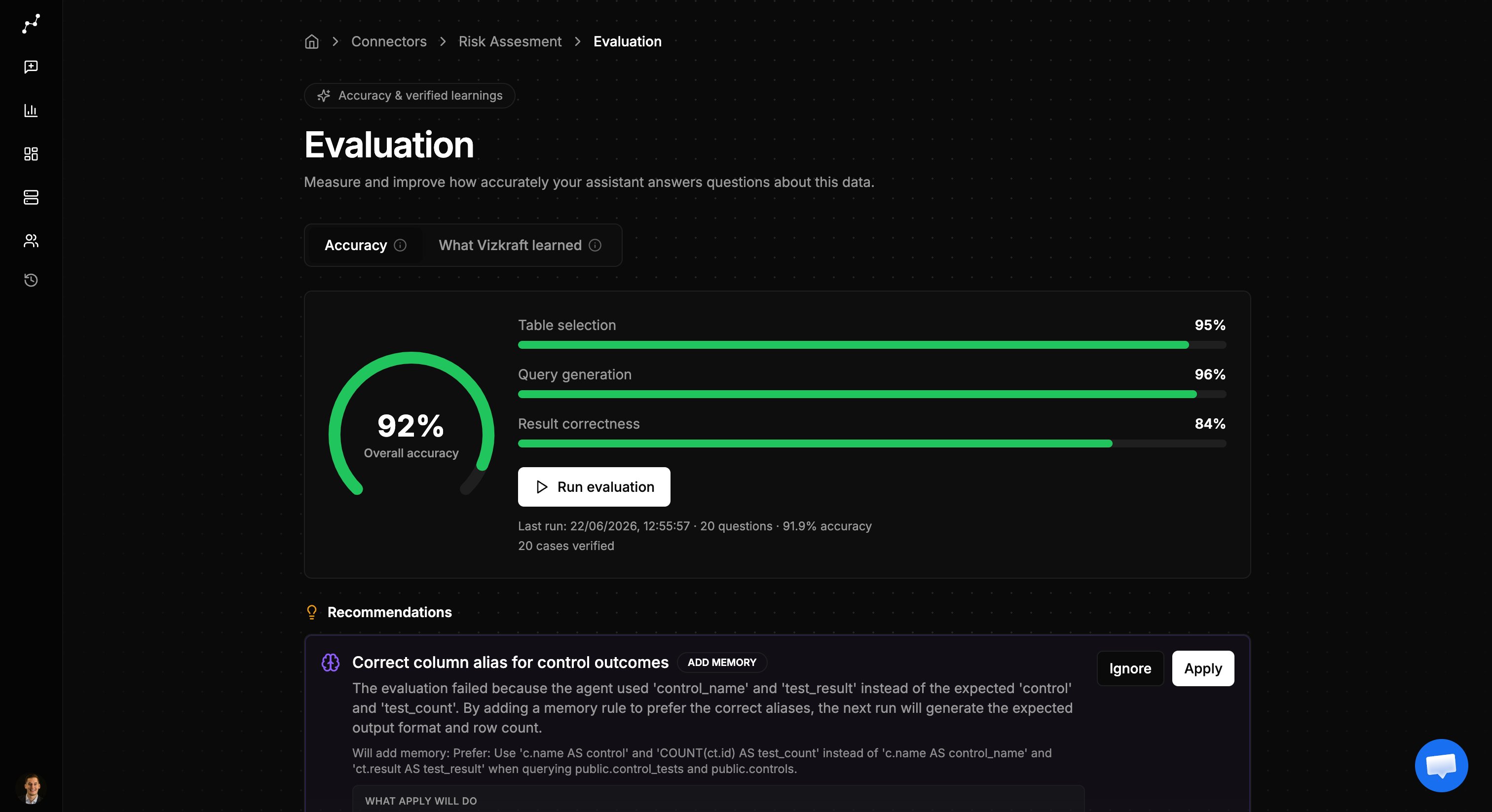
The overview tab is where you measure performance:
* **Accuracy gauge** — shows how well Vizkraft answered the latest eval run.
* **Run history** — tracks accuracy over recent runs so you can see improvement.
* **Run evaluation** — queues a new eval against your confirmed golden cases.
* **Recommendations** — suggested fixes when cases fail, such as table-selection or SQL adjustments.
You need at least five approved golden cases before you can run an evaluation.
## Learnings tab
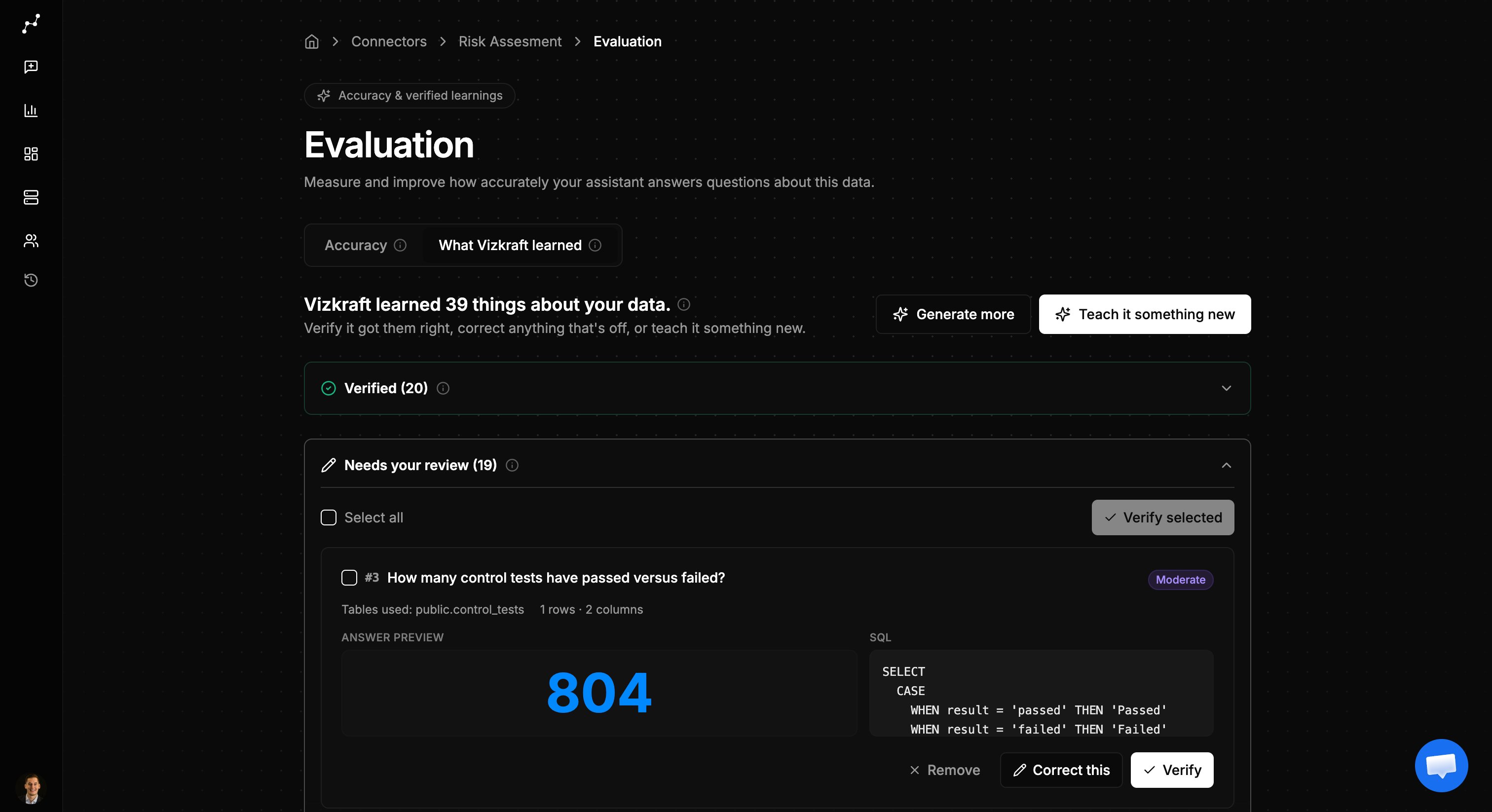
The learnings tab is where you build and maintain golden cases:
## Overview tab
The overview tab is where you measure performance:
* **Accuracy gauge** — shows how well Vizkraft answered the latest eval run.
* **Run history** — tracks accuracy over recent runs so you can see improvement.
* **Run evaluation** — queues a new eval against your confirmed golden cases.
* **Recommendations** — suggested fixes when cases fail, such as table-selection or SQL adjustments.
You need at least five approved golden cases before you can run an evaluation.
## Learnings tab
The learnings tab is where you build and maintain golden cases:
 ### AI-generated questions
After indexing, Vizkraft can generate a set of test questions based on your schema. Each case includes:
* The question Vizkraft would ask.
* The expected SQL or result shape.
* A preview chart when the case produces visual output.
Review each case and **approve** the ones that represent good business questions, **edit** cases that need refinement, or **reject** cases that are not useful.
### Teach manually
You can also add golden cases yourself:
1. Open the **Learnings** tab.
2. Choose to teach with AI assistance or enter a case manually.
3. Provide the question and expected behavior.
4. Approve the case when it is ready.
### Generate more questions
If your dataset is thin, use **Generate more questions** to expand coverage across tables and complexity levels.
## Rate answers in chat
Every SQL answer in chat can include thumbs up and thumbs down controls.
### AI-generated questions
After indexing, Vizkraft can generate a set of test questions based on your schema. Each case includes:
* The question Vizkraft would ask.
* The expected SQL or result shape.
* A preview chart when the case produces visual output.
Review each case and **approve** the ones that represent good business questions, **edit** cases that need refinement, or **reject** cases that are not useful.
### Teach manually
You can also add golden cases yourself:
1. Open the **Learnings** tab.
2. Choose to teach with AI assistance or enter a case manually.
3. Provide the question and expected behavior.
4. Approve the case when it is ready.
### Generate more questions
If your dataset is thin, use **Generate more questions** to expand coverage across tables and complexity levels.
## Rate answers in chat
Every SQL answer in chat can include thumbs up and thumbs down controls.
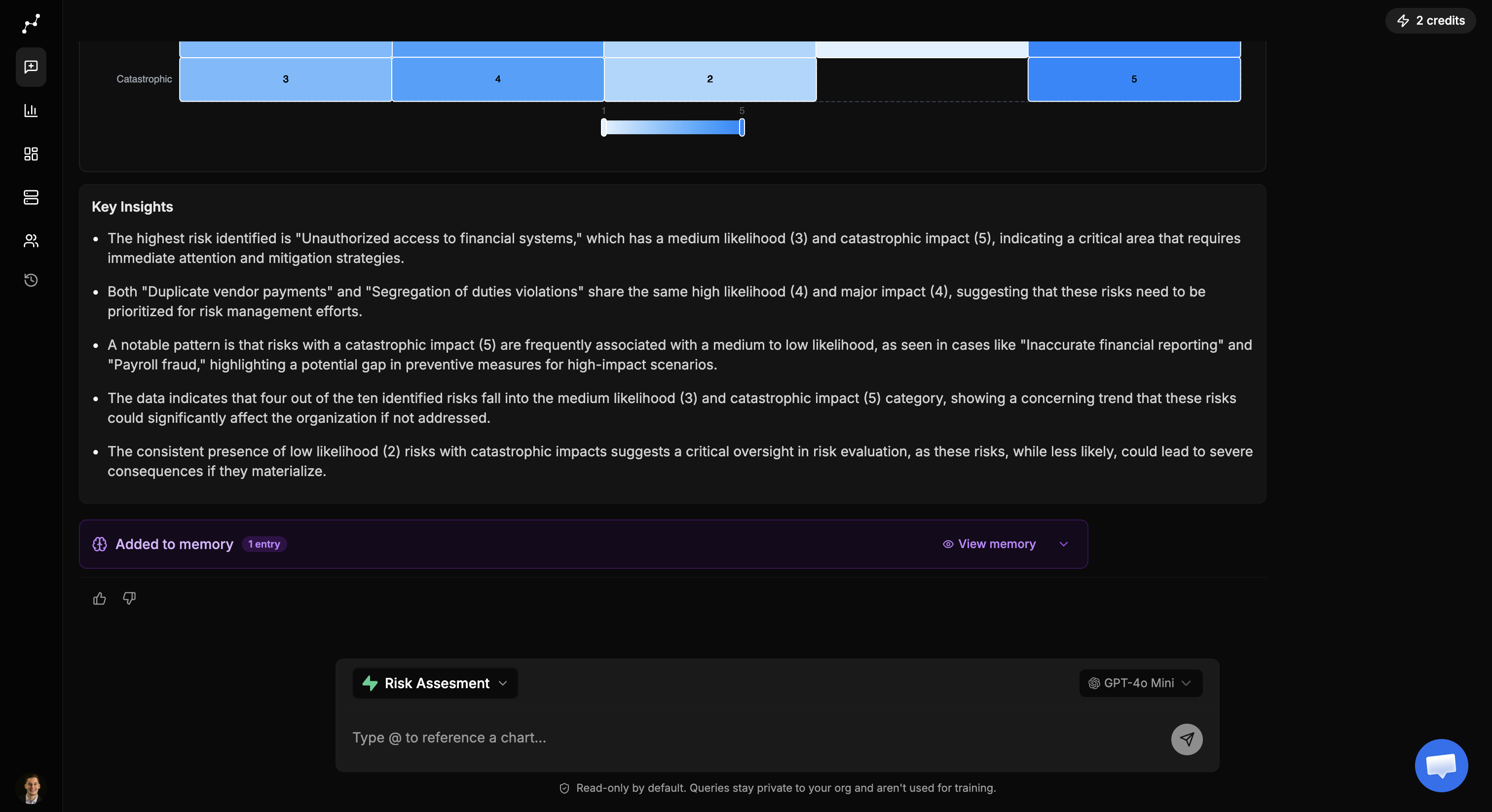 * **Thumbs up** — promotes the answer into a golden case for review.
* **Thumbs down** — flags the answer so you can correct it in learnings.
This is the fastest way to capture real questions your team actually asks.
## How evaluation connects to memory
Approved golden cases and applied recommendations can distill into [connector memory](/features/connector-memory). That means improvements from evaluation carry forward into everyday chat — not just test runs.
## When to use evaluation
* Right after onboarding a new SQL connector and completing indexing.
* After a schema change or important-tables update.
* When answers are inconsistent or frequently pick the wrong tables.
* When onboarding a new analyst team and you want a baseline accuracy score.
## Next step
Review what Vizkraft has learned in [Connector memory](/features/connector-memory), or return to [Ask questions](/features/ask-questions) to keep building golden cases from live chat.
* **Thumbs up** — promotes the answer into a golden case for review.
* **Thumbs down** — flags the answer so you can correct it in learnings.
This is the fastest way to capture real questions your team actually asks.
## How evaluation connects to memory
Approved golden cases and applied recommendations can distill into [connector memory](/features/connector-memory). That means improvements from evaluation carry forward into everyday chat — not just test runs.
## When to use evaluation
* Right after onboarding a new SQL connector and completing indexing.
* After a schema change or important-tables update.
* When answers are inconsistent or frequently pick the wrong tables.
* When onboarding a new analyst team and you want a baseline accuracy score.
## Next step
Review what Vizkraft has learned in [Connector memory](/features/connector-memory), or return to [Ask questions](/features/ask-questions) to keep building golden cases from live chat.