

Add liquid tags
- Choose a slug (e.g.
department_id)—this is the key your backend sends inliquid. - Map it to a table column type (numeric, text, date, datetime).
- Mark Required (mandatory) for hard isolation, or leave optional if partners may omit it.
- Save.
AI suggestions
On Liquid (and on Coverage when there is a gap), Vizkraft can suggest tags from schema—including one-hop foreign-key joins. Suggestions are scored; you still confirm before they apply at runtime.Coverage by chart
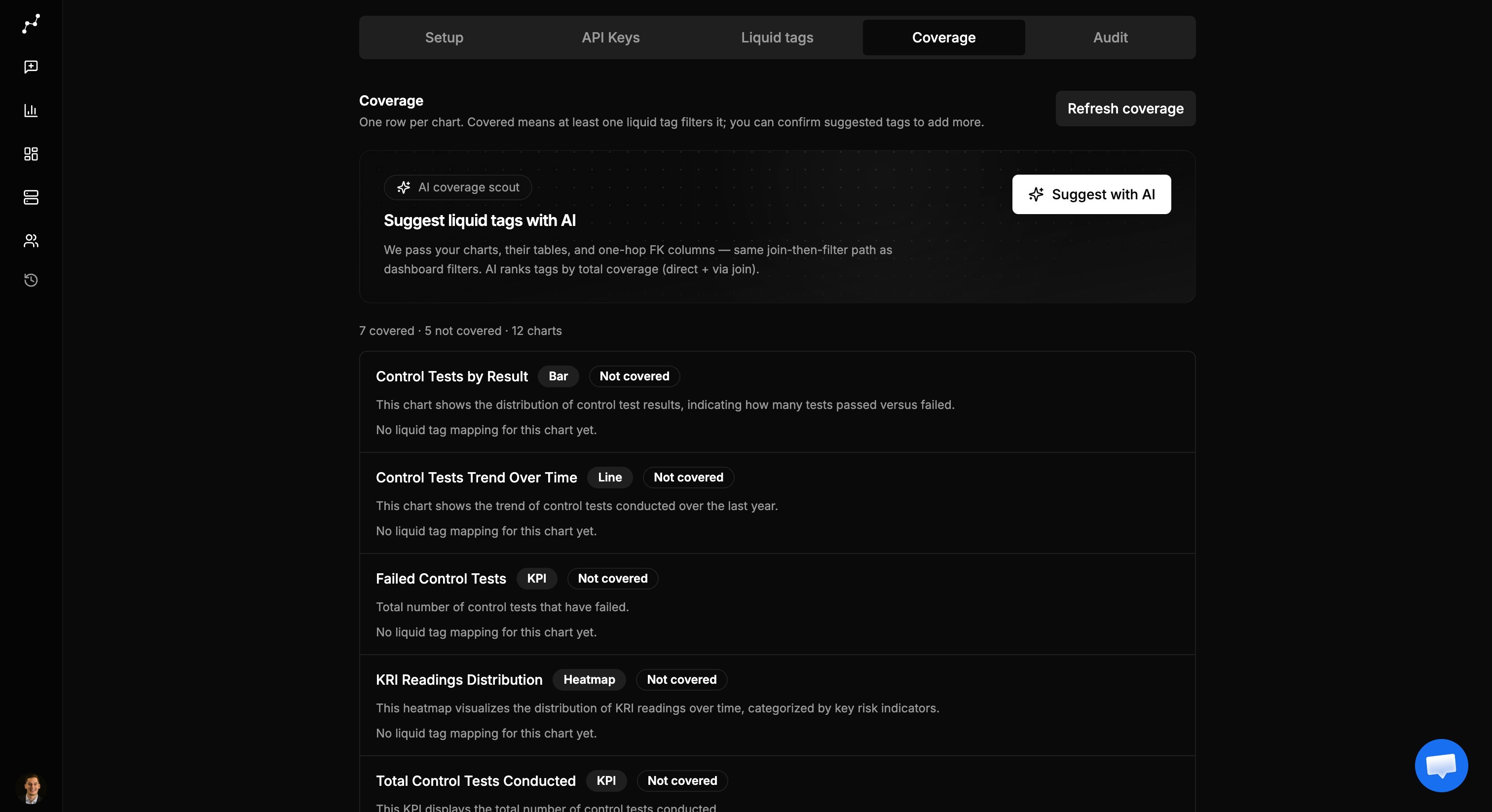
- Covered — at least one confirmed mapping for a liquid tag
- Not covered — no confirmed mapping
- Mapping kind: Direct (column on a table in the SQL) or Via FK (join path)
audit_findings.department_id) breaks queries at runtime.
Uncovered charts
By default, charts without confirmed mappings are hidden in the embed. You can allow them under Viewer options—only when you accept that those tiles are not liquid-scoped.Runtime behavior
Related
- Admin setup
- Developer guide — how eng passes
liquidat mint - Partner demo — try two department values and compare KPIs