

This guide applies to SQL and MongoDB connectors. HubSpot CRM connectors use catalog sync instead of indexing.
Why indexing matters
When indexing is available for a connector, Vizkraft can:- Read tables or collections and their fields.
- Build a summary of the database structure.
- Show indexing progress while it runs.
- Suggest important tables for business analysis.
- Generate better chart and dashboard suggestions after indexing completes.
- Seed evaluation golden questions for SQL connectors.
Where to find indexing
- Open
Connectors. - Select the connector you want to work with.
- Open Indexing from the connector row (or the primary action button).
What you will see on the indexing page
Database summary
This gives you a high-level view of the source that was connected.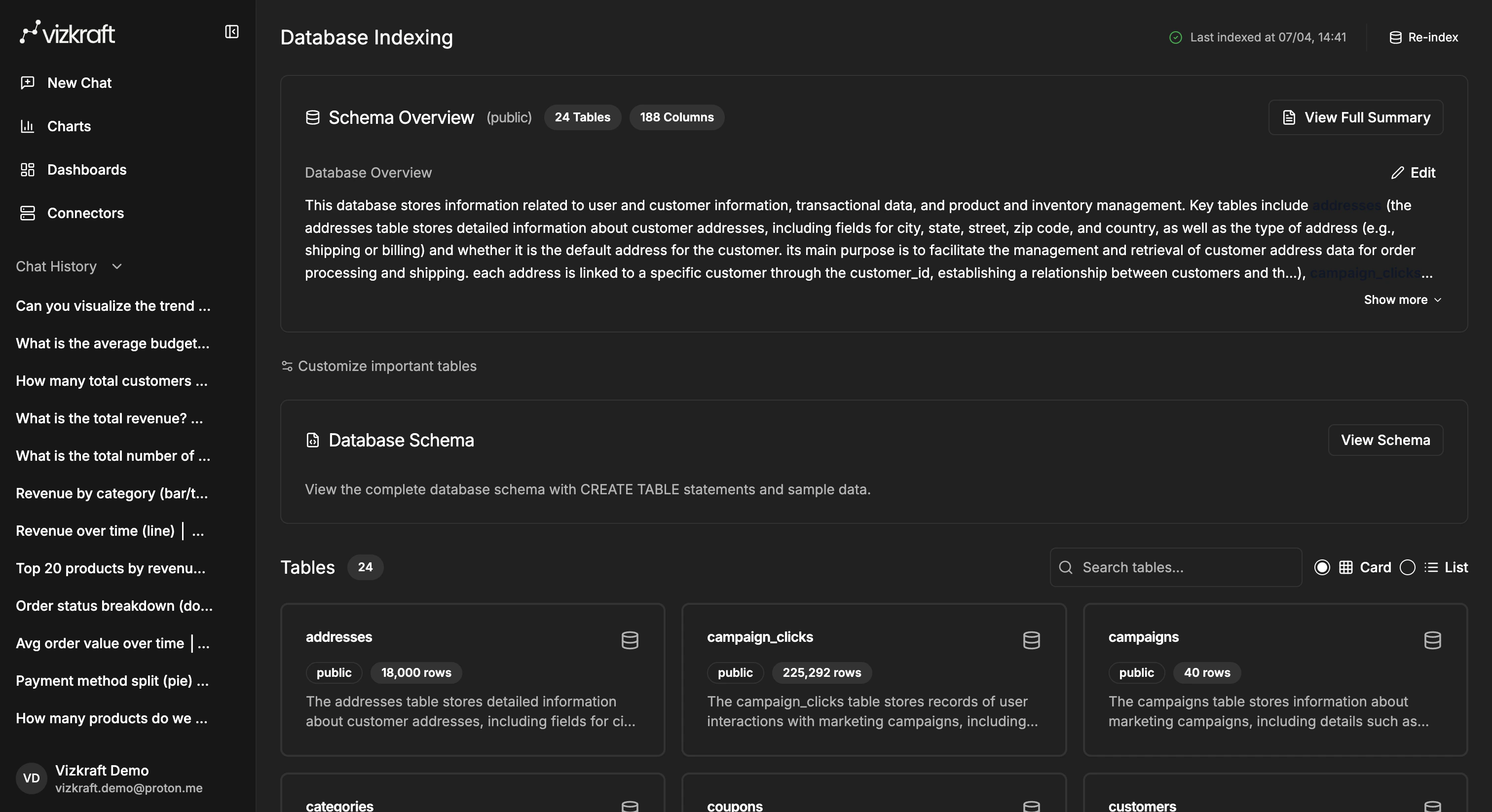
Table or collection list
You can review which tables (or MongoDB collections) Vizkraft discovered and use that list to confirm the source looks correct.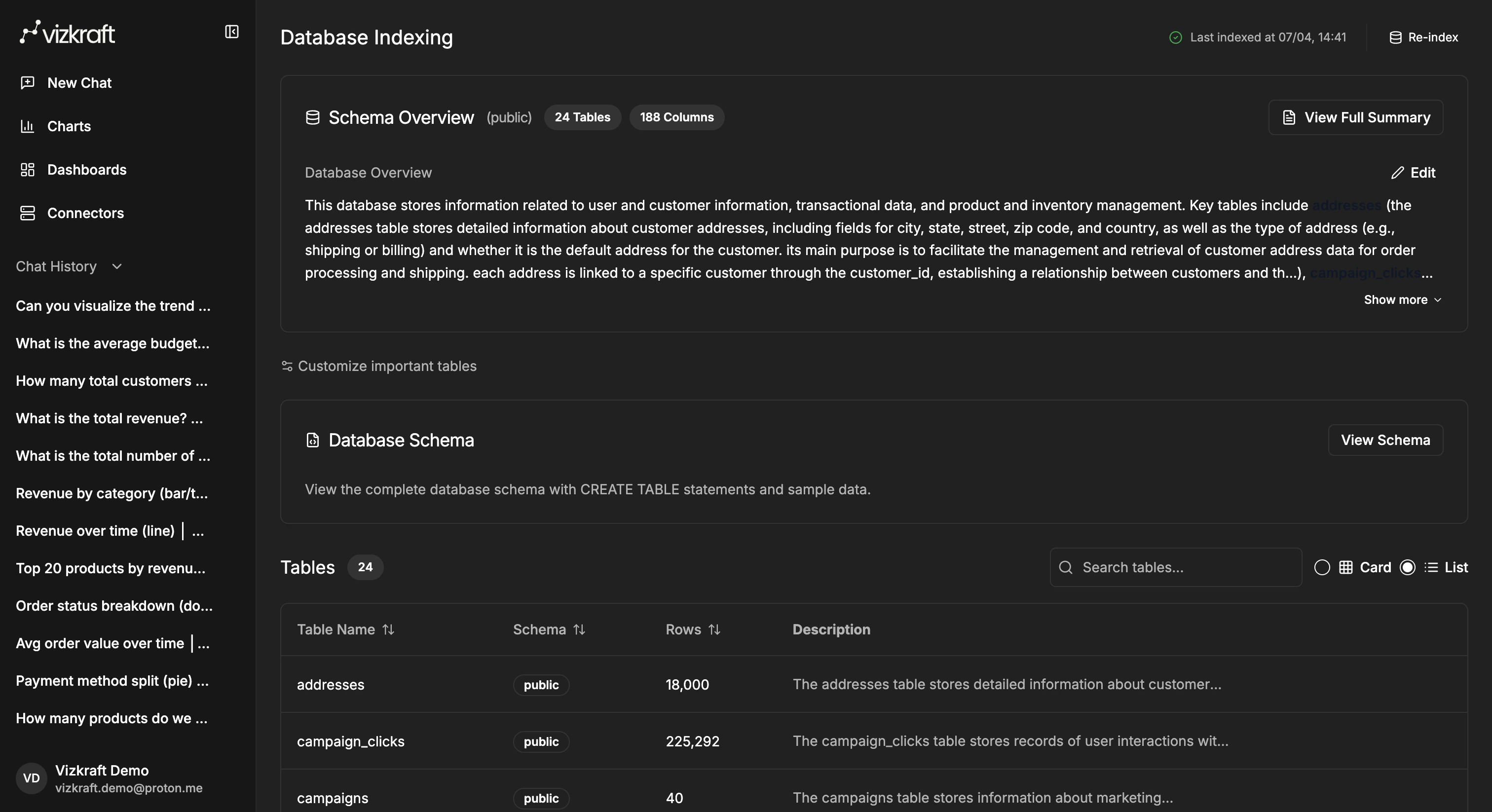
Progress tracking
If indexing is in progress, you can monitor status directly from the page instead of guessing whether the job is still running.Important tables
If your schema is large, use the important tables workflow to steer Vizkraft toward the tables that matter most to your business users. Important tables also influence suggested charts and dashboards. Mark the tables your team analyzes most often before waiting for suggestions.MongoDB indexing
MongoDB connectors follow the same indexing workflow as SQL sources, with a few differences in the UI:- Vizkraft discovers collections instead of SQL tables.
- Field types and sample documents are indexed rather than column definitions and
CREATE TABLEstatements. - Important tables selection applies to the collections you want Vizkraft to prioritize.
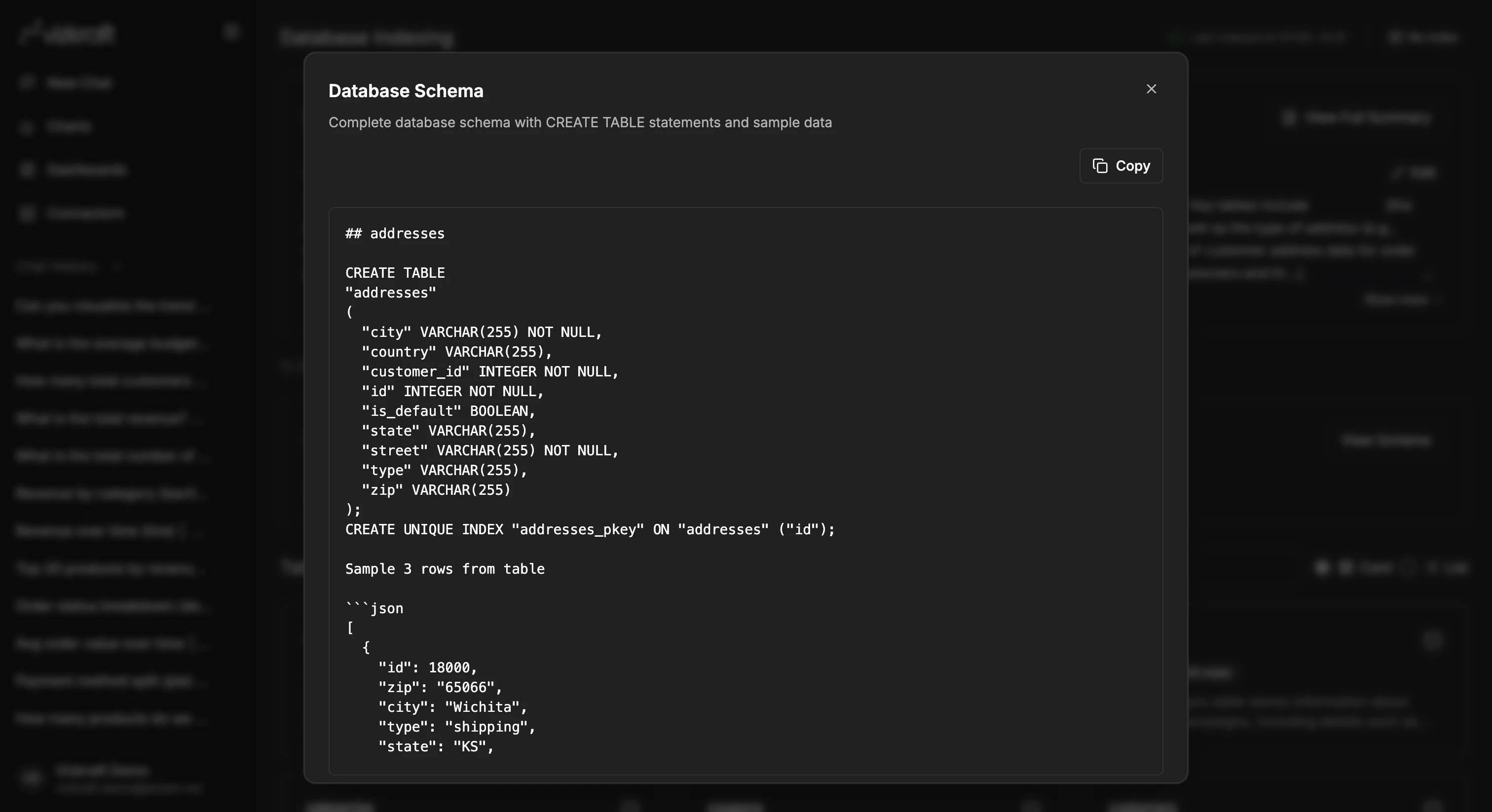
View the database schema
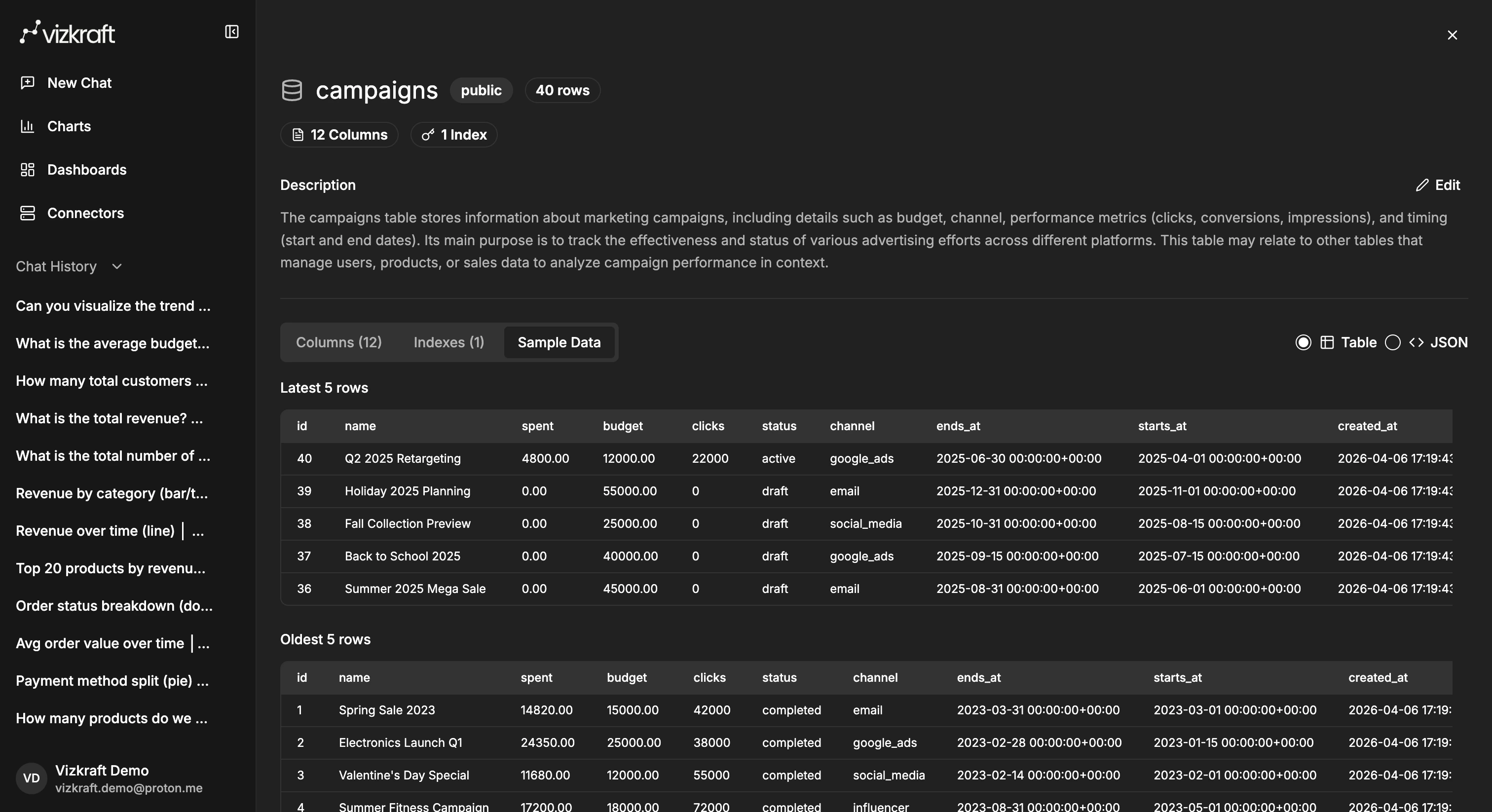
The schema viewer gives you a more complete look at the indexed source, includingCREATE TABLE statements (for SQL) and sample records.
Inspect a table in detail
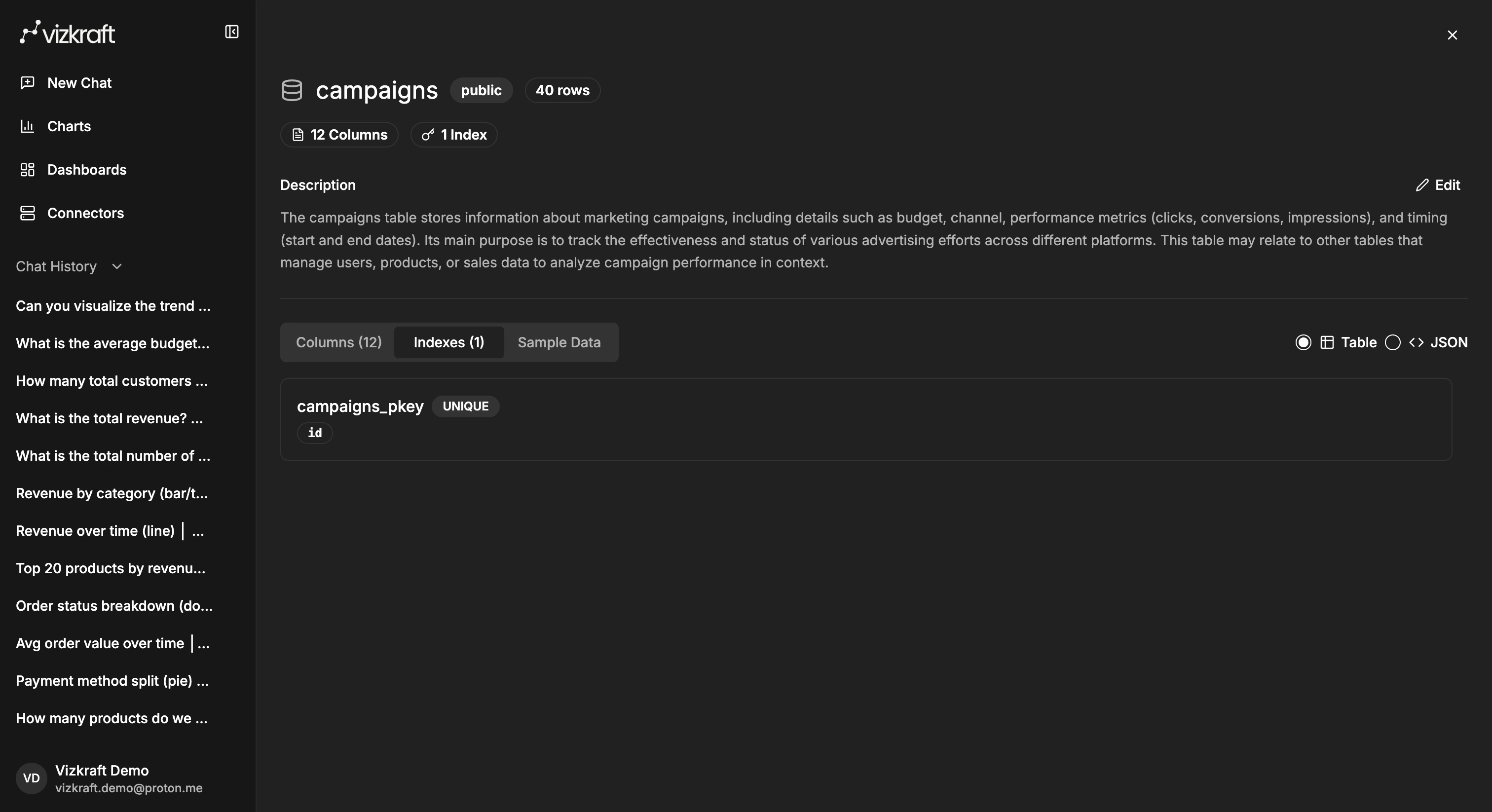
From the table list, open a table likecampaigns to review the fields Vizkraft discovered and understand how the source is structured.
Columns
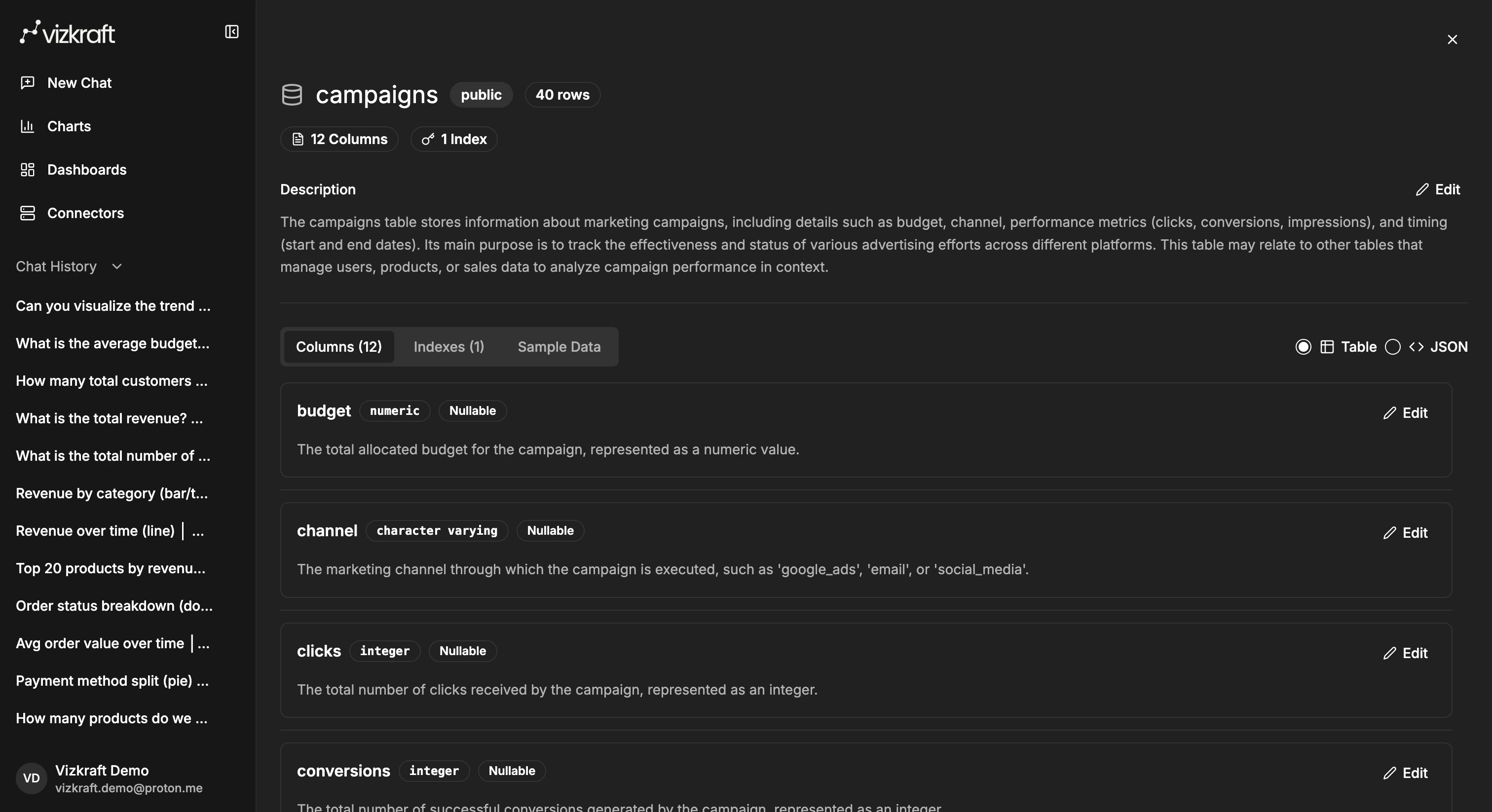
Indexes
Sample data
When suggested content appears
Suggested charts and suggested dashboards are tied to connector analysis. In practice:- Add the connector.
- Run indexing.
- Select important tables if prompted.
- Wait for Vizkraft to prepare suggestions.
- Review them in
ChartsandDashboards.
When to re-index
Re-index when:- New tables, collections, or columns were added to the source.
- A connector was changed or replaced.
- Chat answers are missing newly available data.
- Suggested charts and dashboards no longer reflect the current schema.
Indexing runs and your plan
Every plan includes a monthly allowance of indexing runs. One run is consumed each time you add a new connector (the first index runs automatically) or click Re-index on an existing connector. Indexing runs are deliberately separate from query credits — re-indexing never spends the credits you use for chat questions.
A few things to know:
- Your remaining indexing runs are shown on
Profile → Usagenext to your subscription credits and onProfile → Billingunder your plan summary. - The counter resets at the start of every billing cycle, on the same date your subscription credits renew.
- If your allowance is exhausted, the next attempt to add a new connector or click Re-index is rejected with a clear error message until the cycle resets — your existing connectors keep working as normal.
- Indexing started by Vizkraft on your behalf (for example, automatic schema refreshes scheduled by your account team) does not consume your allowance.
Profile → Billing → Plans or contact sales for a custom allowance.
Tips for better results
- Start with the connector your team will use most often.
- Review the discovered tables or collections before asking broad business questions.
- Mark important tables when your warehouse contains many raw or system tables.
- Re-index after meaningful schema changes so Vizkraft stays current.
- Batch schema changes before re-indexing so you spend one run instead of several.
- After indexing, run Evaluation and learnings to measure answer quality.