

Evaluation is available for SQL connectors (PostgreSQL, MySQL, ClickHouse, and MongoDB). It does not appear for HubSpot CRM or custom MCP connectors.
Open evaluation
- Open
Connectors. - Find a SQL connector that has finished indexing.
- Select the ⋯ menu on the connector row.
- Choose Evaluation.
Two tabs
Evaluation is organized into two tabs: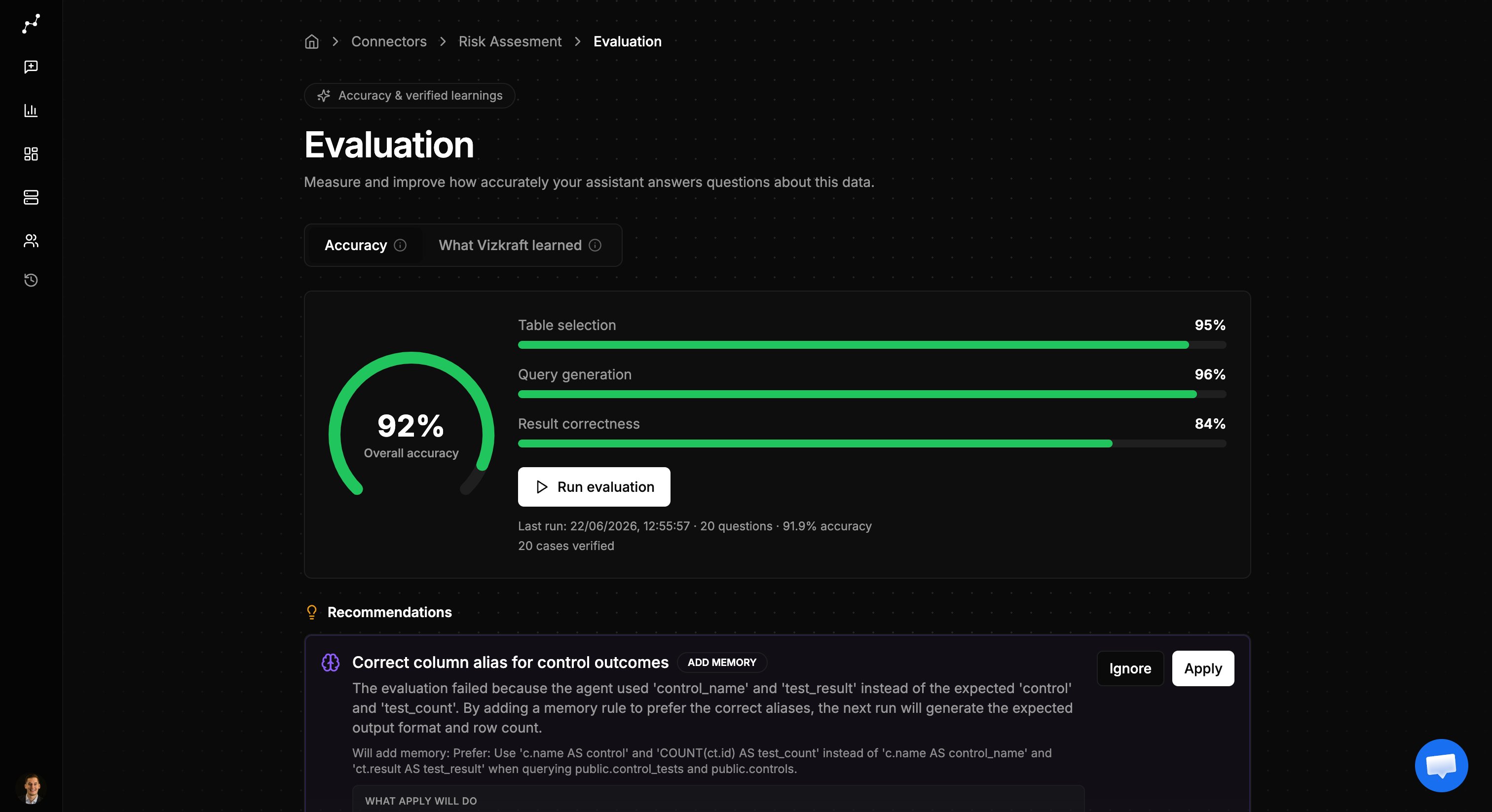
Overview tab
The overview tab is where you measure performance:- Accuracy gauge — shows how well Vizkraft answered the latest eval run.
- Run history — tracks accuracy over recent runs so you can see improvement.
- Run evaluation — queues a new eval against your confirmed golden cases.
- Recommendations — suggested fixes when cases fail, such as table-selection or SQL adjustments.
Learnings tab
The learnings tab is where you build and maintain golden cases: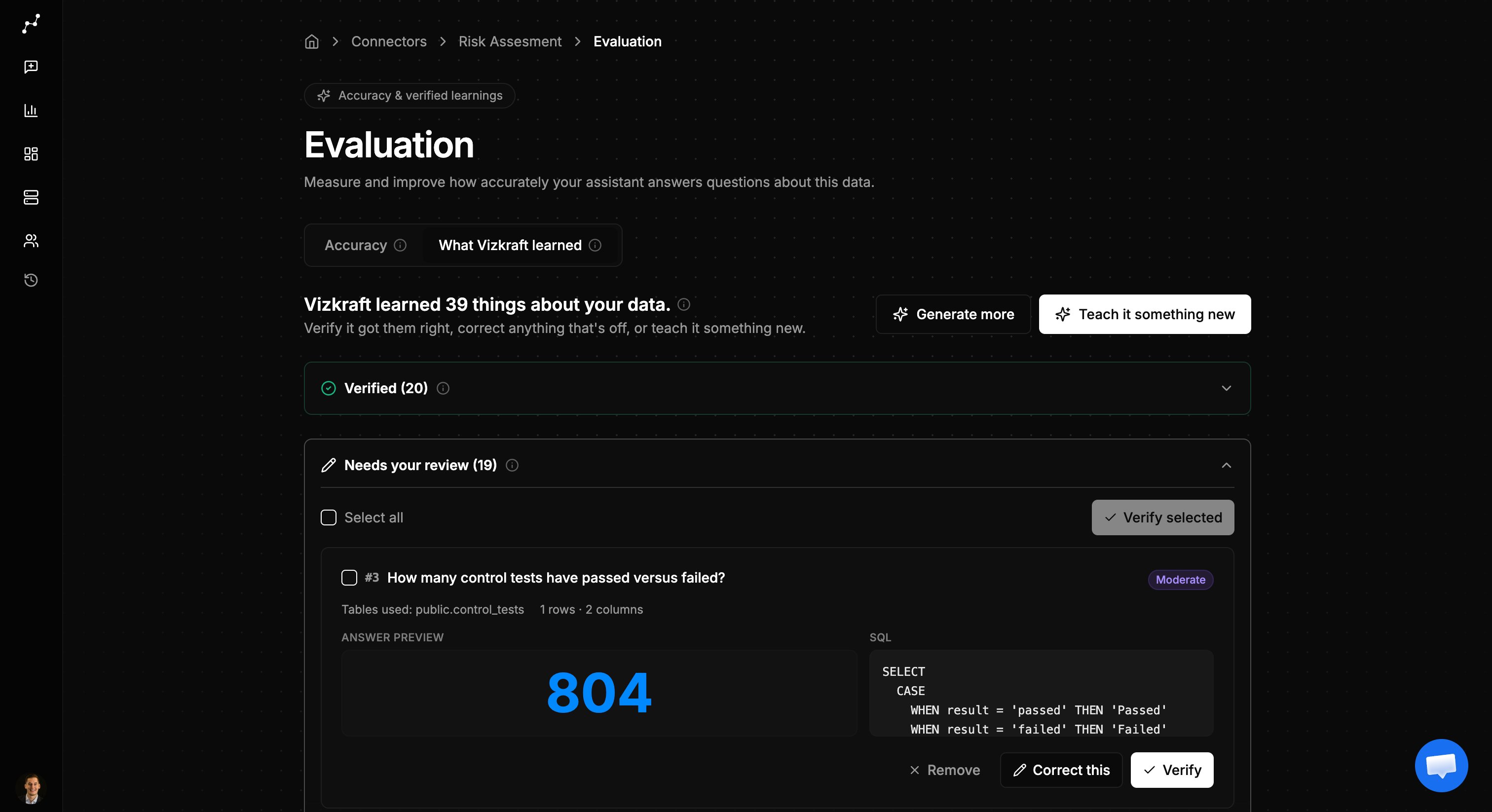
AI-generated questions
After indexing, Vizkraft can generate a set of test questions based on your schema. Each case includes:- The question Vizkraft would ask.
- The expected SQL or result shape.
- A preview chart when the case produces visual output.
Teach manually
You can also add golden cases yourself:- Open the Learnings tab.
- Choose to teach with AI assistance or enter a case manually.
- Provide the question and expected behavior.
- Approve the case when it is ready.
Generate more questions
If your dataset is thin, use Generate more questions to expand coverage across tables and complexity levels.Rate answers in chat
Every SQL answer in chat can include thumbs up and thumbs down controls.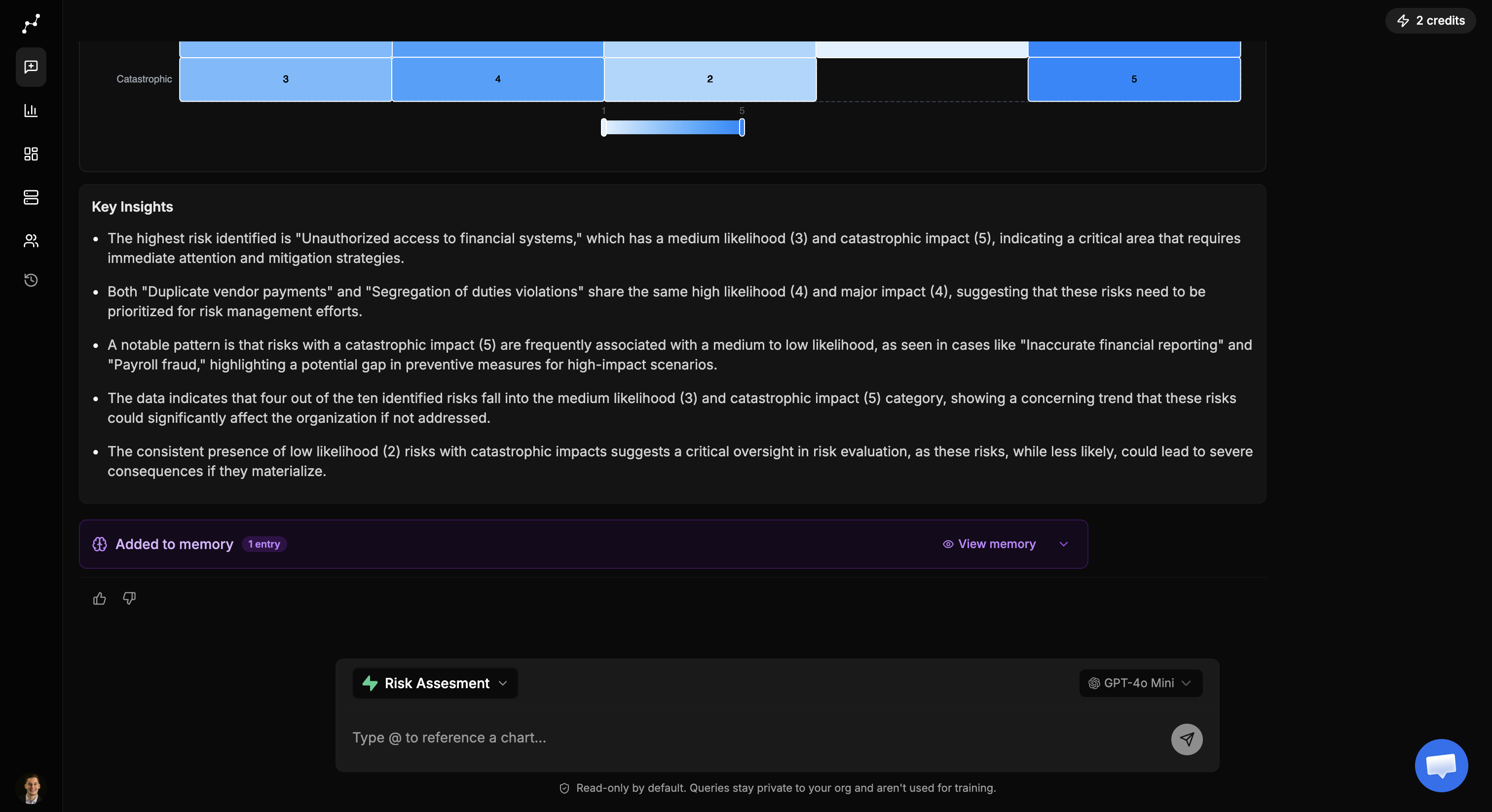
- Thumbs up — promotes the answer into a golden case for review.
- Thumbs down — flags the answer so you can correct it in learnings.
How evaluation connects to memory
Approved golden cases and applied recommendations can distill into connector memory. That means improvements from evaluation carry forward into everyday chat — not just test runs.When to use evaluation
- Right after onboarding a new SQL connector and completing indexing.
- After a schema change or important-tables update.
- When answers are inconsistent or frequently pick the wrong tables.
- When onboarding a new analyst team and you want a baseline accuracy score.