

Memory vs chat history
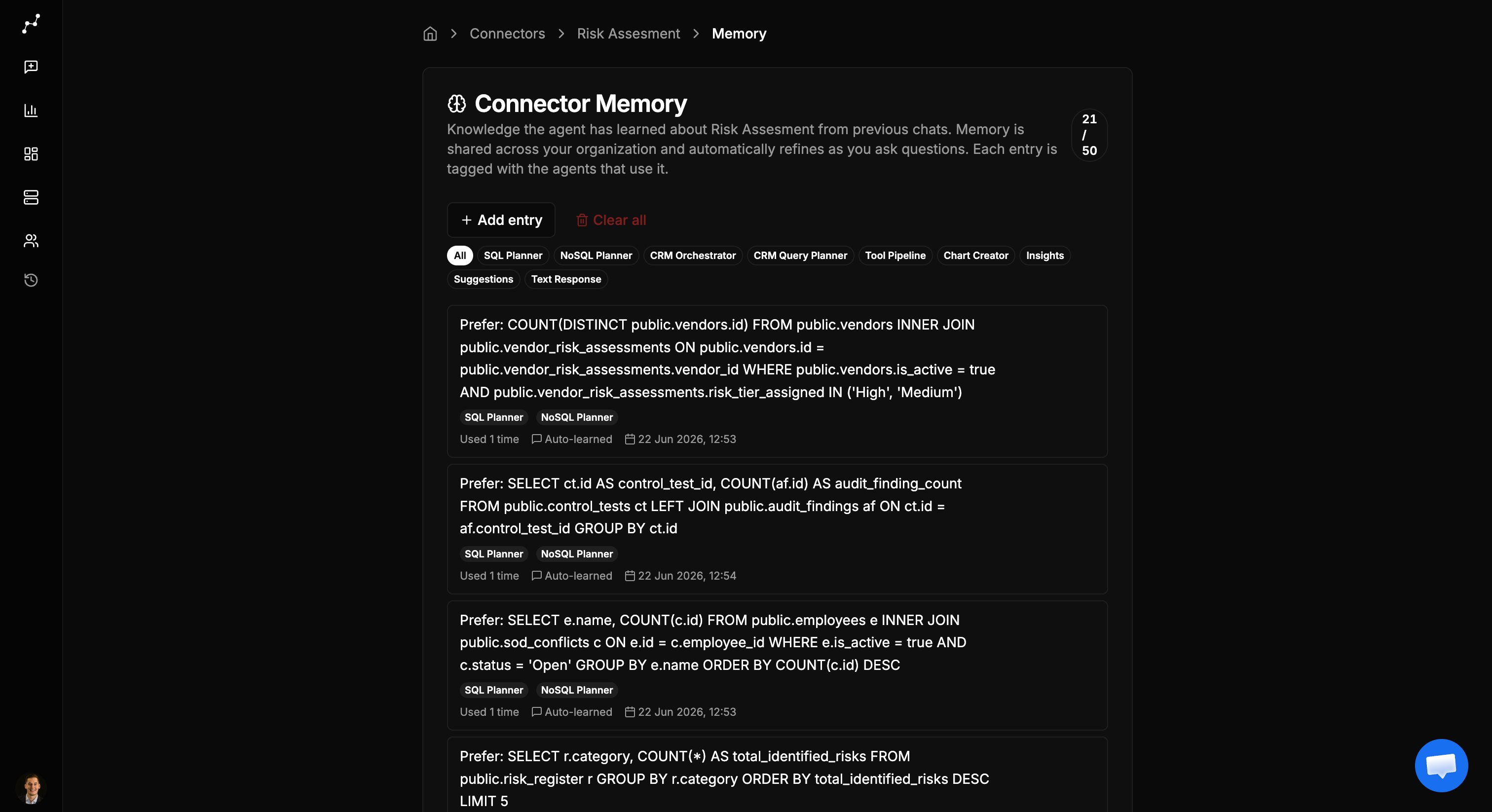
Open connector memory
- Open
Connectors. - Find the connector you want to review.
- Select the ⋯ menu on the connector row.
- Choose Memory.
How memory is created
Memory builds up in two ways:Automatically during chat
When Vizkraft learns something useful from a conversation — such as how your team defines a metric or which table to prefer — it can add or update a memory entry after the answer completes. A purple notification appears in the chat thread when memory is updated. From there you can:- Expand the notification to review what was saved.
- Open the full memory panel for that connector.
- Reject an entry if it is wrong.
Manually from the memory panel
You can also add entries yourself when you already know what Vizkraft should remember:- Open the connector memory panel.
- Select Add entry.
- Choose which agents should use the entry.
- Write the knowledge in plain language.
- Save the entry.
Manage entries
From the memory panel you can:- Pin important entries so they are less likely to be replaced when memory is full.
- Edit the text of any entry.
- Delete a single entry.
- Clear all to reset memory for that connector.
- Filter by agent tag to focus on SQL planning, chart creation, or other areas.
Agent tags
Each memory entry is tagged with the agents that should use it. Tags help Vizkraft apply the right knowledge in the right context — for example, table-selection hints for query planning versus formatting preferences for charts. When you add an entry manually, select at least one agent tag so Vizkraft knows where to apply it.Best practices
- Pin definitions for core business metrics, such as how revenue or active users are calculated.
- Reject incorrect memory in chat as soon as you notice it — do not wait until bad answers spread.
- Keep entries short and specific. One fact per entry works better than long paragraphs.
- Review memory after major schema changes or when a new team starts using the connector.