

When to use HubSpot
Use a HubSpot connector when your questions are about CRM data — contacts, companies, deals, tickets, and related properties — rather than tables in a SQL warehouse. For PostgreSQL, MySQL, ClickHouse, or MongoDB, use a managed database connector and follow Index your data instead.Add a HubSpot connector
- Open
Connectors. - Select Add connector.
- Choose HubSpot.
- Name the connector (for example,
HubSpot CRMorSales HubSpot). - Select Connect with HubSpot.
- Sign in to HubSpot and approve access.
- Wait while Vizkraft syncs your catalog.
What happens during sync
After authorization, Vizkraft:- Connects to your HubSpot account.
- Reads available object types (contacts, companies, deals, and others in your portal).
- Fetches property definitions and record counts.
- Generates descriptions so the agent understands your CRM structure.
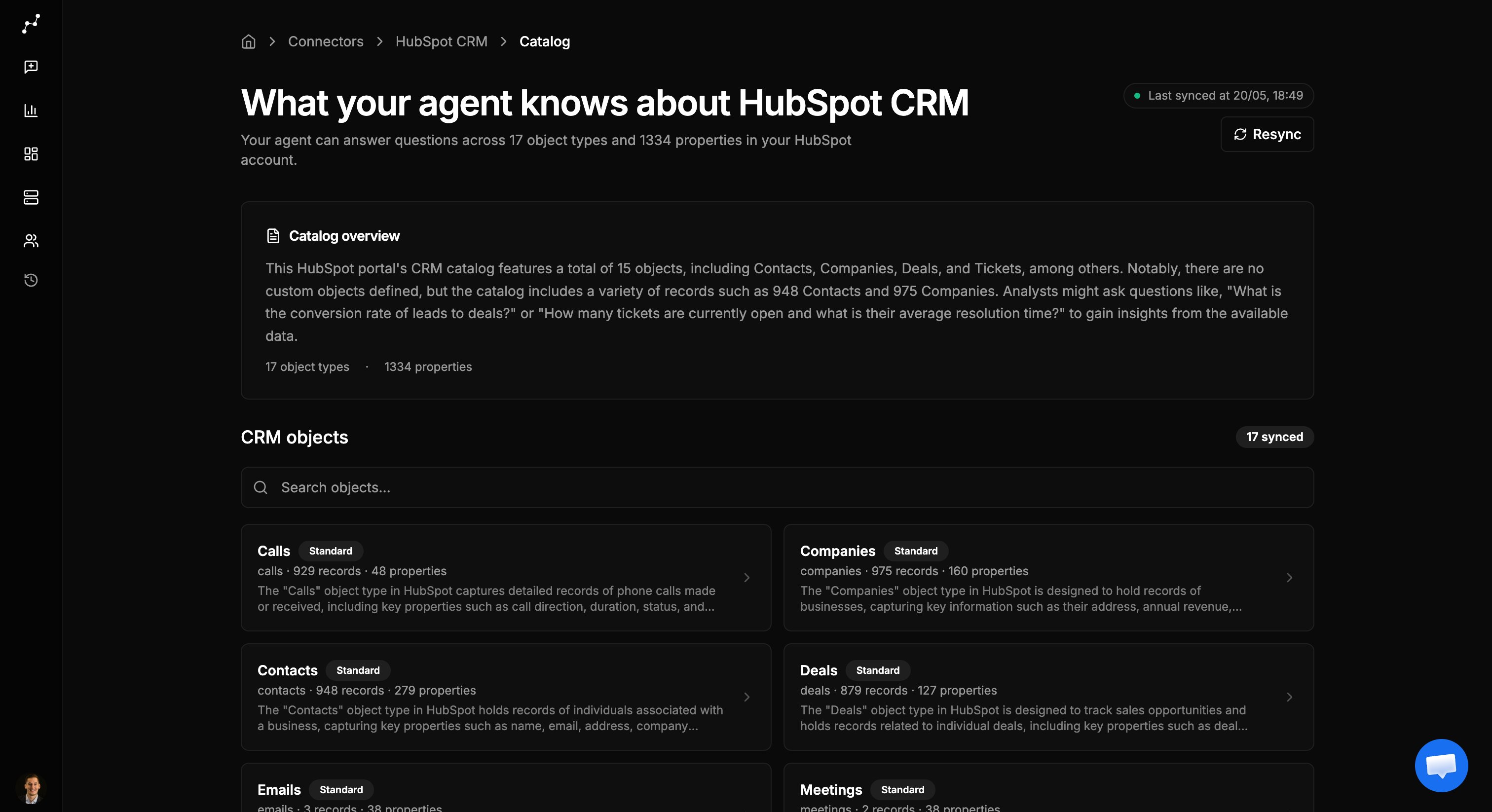
Browse the CRM catalog
Once sync completes, the catalog page shows:- A summary of objects and properties discovered.
- A list of CRM objects you can open individually.
- Property details for each object type.
Re-sync or re-authorize
If HubSpot credentials expire or your portal structure changes:- Open the connector from
Connectors. - Go to the catalog sync page.
- Use Re-sync to refresh objects and properties.
- If authorization failed, use Re-authorize HubSpot to connect again.
Ask questions about HubSpot data
After sync completes, enable the HubSpot connector in chat and ask in plain language:- How many deals closed this quarter by pipeline stage?
- Show contacts created in the last 30 days by source.
- Which companies have open tickets and an active deal?
Next step
- Connect additional sources in Add connectors.
- Teach Vizkraft your CRM vocabulary in Connector memory.