

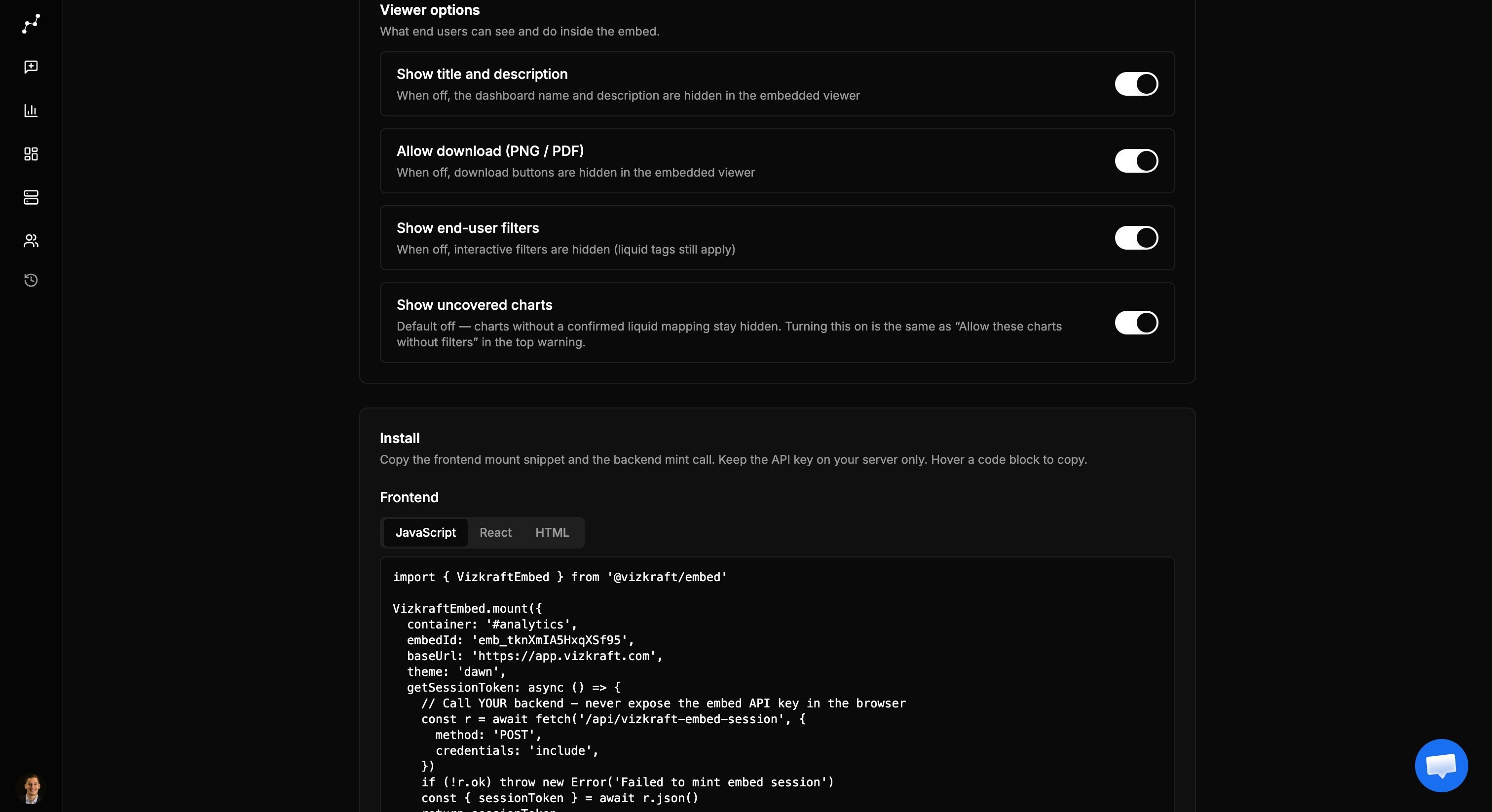
Chrome visibility
Liquid tags are never shown as filters. Turning filters off does not remove tenant isolation.
Viewer background (UI theme)
Controls the iframe chrome—background and text—not your host page.
The SDK accepts a
theme prop for the first paint (avoids a flash). After bootstrap, admin embed settings win.
Chart and number colors
Series / accent palette applied across charts in the embed:
This is separate from the UI chrome theme. You can run Dawn chrome with Ocean chart colors, for example.
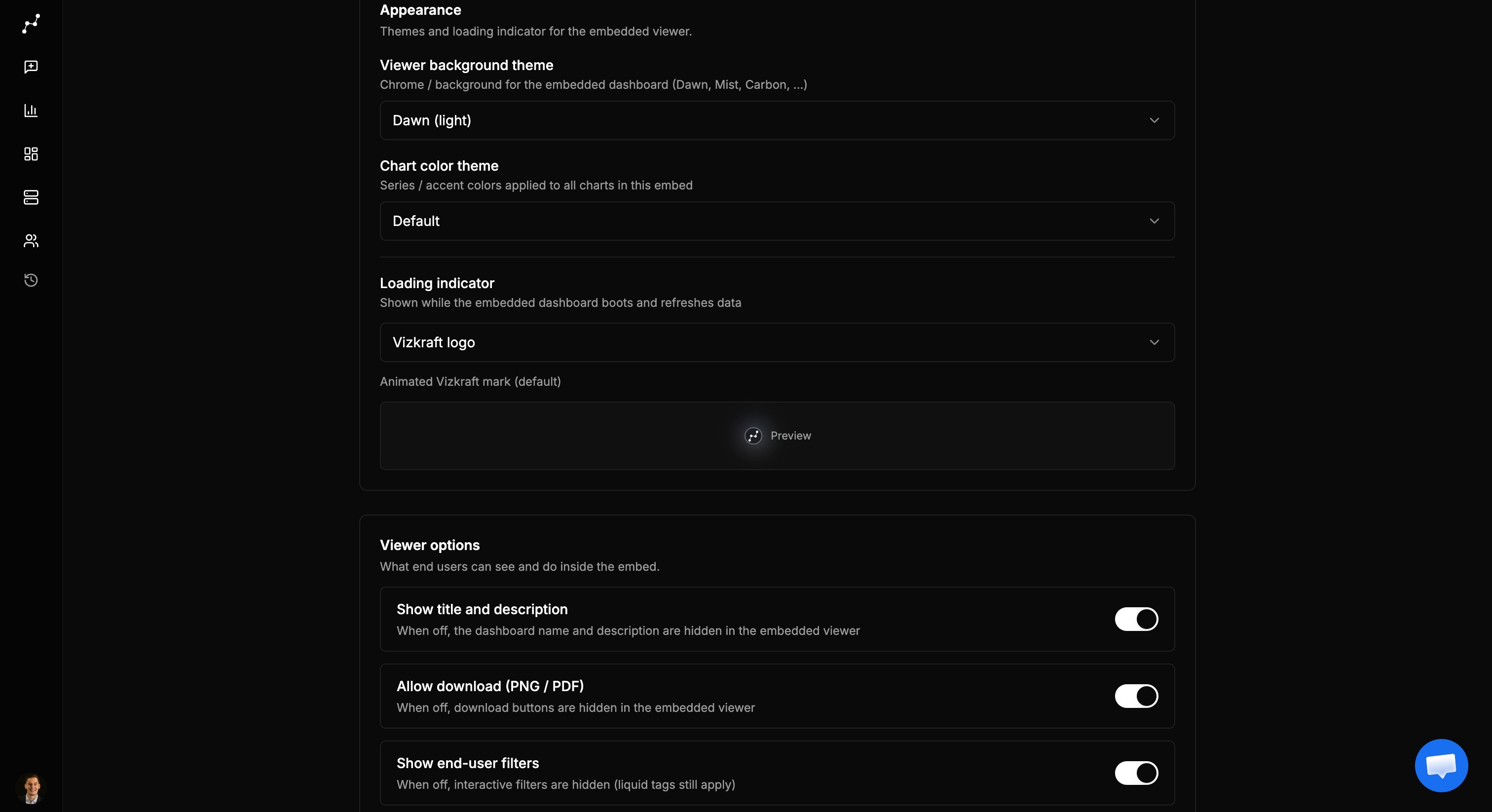
Loading indicator
Shown while the embed boots and when data refreshes:
Until a custom file is uploaded, custom mode falls back to the Vizkraft logo.
Allowed origins
Not a visual option, but it controls who may frame the embed:- Exact:
https://app.customer.com - Subdomain wildcard:
*.customer.comorhttps://*.customer.com - Any host:
*(convenient for demos; tighten before production)
Recommended defaults
For a multi-tenant product embed:- Title on or off to match your host layout
- Filters on if end users need exploration; off for locked executive views
- Download off unless exports are required
- Uncovered charts off until coverage is complete
- Themes aligned with your product light/dark mode
- Origins limited to your production and staging hosts
Where to click in the app
1
Open the dashboard
In app.vizkraft.com, open the dashboard you want to embed.
2
Open Embed settings
Use Embed in the toolbar (dedicated settings page).
3
Edit Setup
Set appearance (UI theme, chart theme, loader) and Viewer options toggles. Changes save as you switch.
4
Preview in partner demo
Optionally verify in Partner demo before shipping to production.
Related
- Admin setup — enable embed, API keys, audit
- Developer guide —
themeandheighton mount - Liquid tags and coverage — uncovered charts behavior